
How to Check Laptop Battery Health in Windows 11/10 (Step-by-Step Battery Report Guide)
Have you ever wondered why your laptop battery percentage says "100% Fully Charged", yet your battery drains completely within 25 to 45 minutes?
Here is the inconvenient truth that most computer brands don't explain to regular users: The battery percentage icon in the bottom right corner of your Windows screen only tells you how full your battery is relative to its current degraded capacity—NOT its actual physical health!
A battery that has lost 80% of its original chemical capacity can still reach "100%", but that 100% is only a fraction of the power your laptop had when it was unboxed.
Fortunately, Microsoft Windows 11 and Windows 10 contain a powerful, built-in diagnostic tool called Windows Battery Report. It generates a detailed, forensic-grade HTML report showing your battery's original factory capacity, current maximum capacity, total charge cycles, and week-by-week degradation history.
In this in-depth, 3,000-word engineering guide from Zitek Techcare Ahmedabad, we will show you exactly how to generate this hidden report in under 60 seconds, how to decode every single technical metric, and how to know precisely when it is time to replace your battery before it damages your motherboard.
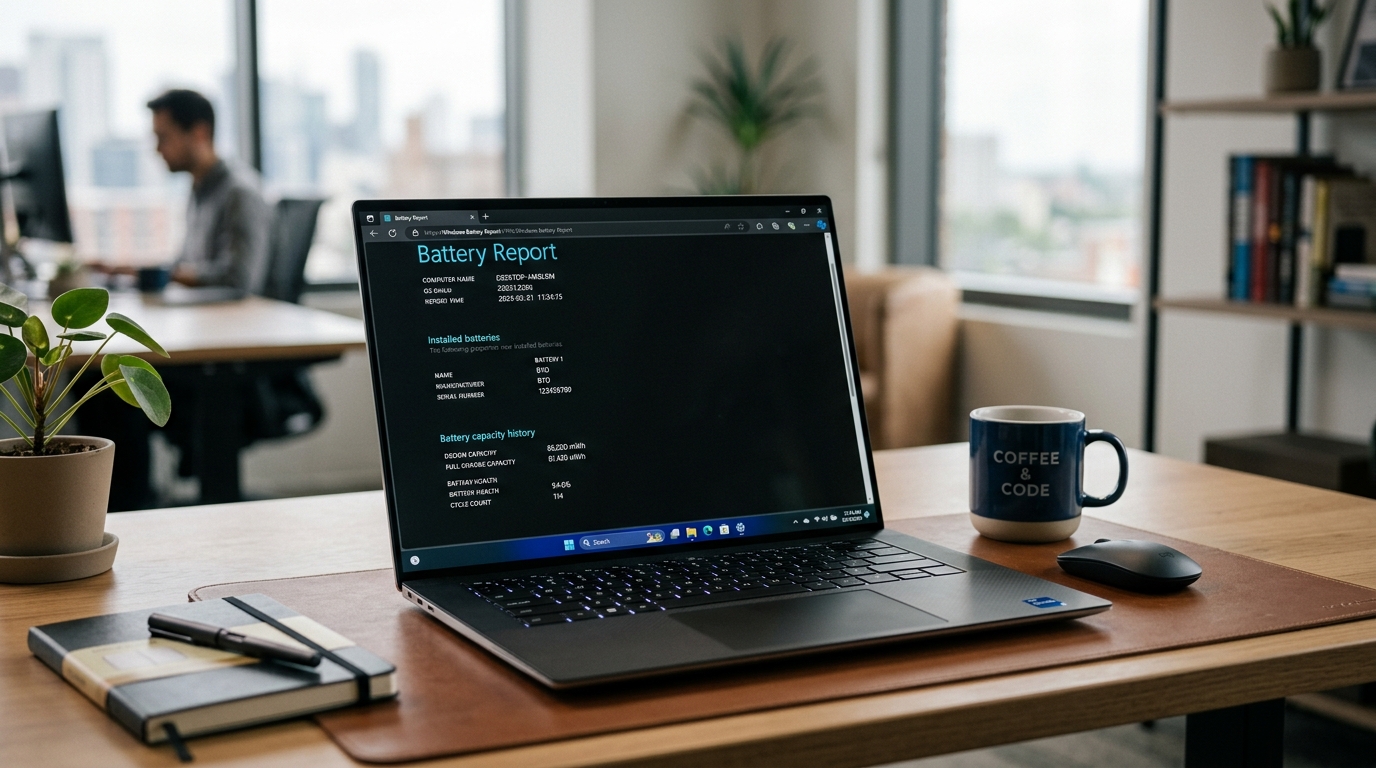 Official Windows 11 HTML battery health report comparing factory design capacity against degraded full charge capacity.
⚡ The 60-Second Command to Generate a Windows Battery Report
You do not need to download shady third-party diagnostic software, cleaner apps, or pay for battery doctor utilities. Everything is built natively into Windows Command Prompt.
Step-by-Step Instructions:
- Open Command Prompt as Administrator:
- Press the
Windows Key + Son your keyboard and type cmd. - Right-click on Command Prompt in the search results and select Run as administrator (or press
Ctrl + Shift + Enter). - Click Yes if the User Account Control (UAC) prompt appears.
- Press the
- Type the Battery Report Command:
In the black command window, type or copy-paste the following command exactly:
Press Enter.powercfg /batteryreport /output "C:\battery_report.html" - Wait for Confirmation:
Within two seconds, Windows will display:Battery life report saved to file path C:\battery_report.html. - Open the Report:
- Press
Windows Key + R, typeC:\battery_report.html, and press Enter. - The complete, beautifully styled HTML diagnostic report will open instantly in your default web browser (Chrome, Edge, or Firefox).
- Press
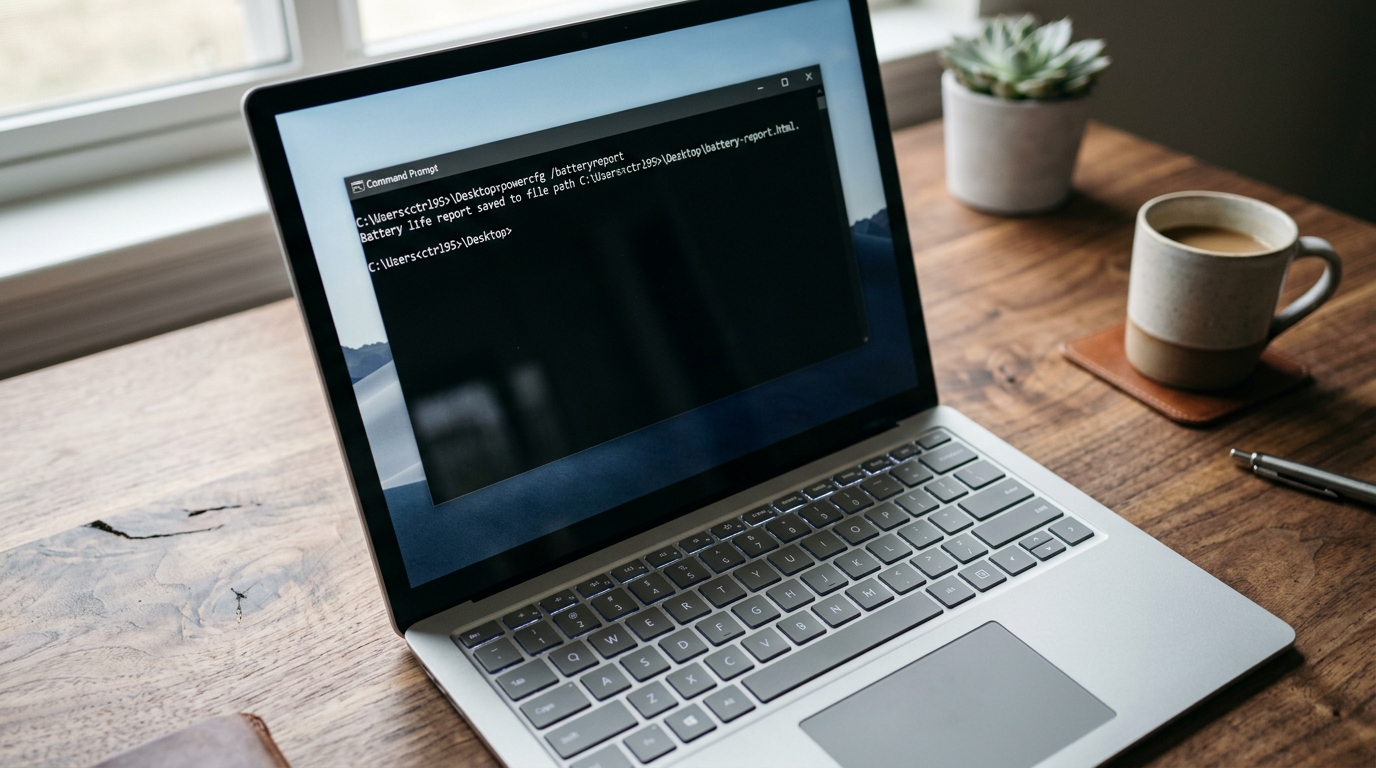 Generating an official battery diagnostic report in Windows Command Prompt using the powercfg command.
🔬 How to Read the Battery Report Like an Expert Hardware Engineer
When you first open battery_report.html, you will see a clean, multi-section dashboard. Let's break down the critical sections that actually matter for diagnosing battery failure.
Section 1: Installed Batteries (The Core Hardware Profile)
Right below your computer's name and BIOS version, you will find the Installed batteries table. This is the single most important table in the entire document:
| Metric Name | What It Means | Ideal Value | Warning Signal |
|---|---|---|---|
| NAME | The exact model number of your battery pack (e.g., DELL WDX0R, HP HT03XL, L16M3P51). |
Matches your laptop chassis specs | Generic names like "Virtual Battery" indicate a fake copy. |
| MANUFACTURER | The OEM cell manufacturer (e.g., SMP, LGC, Samsung, SANYO, Panasonic). | Reputable global cell maker | Blank or "Unknown" usually indicates a counterfeit battery. |
| SERIAL NUMBER | Unique digital serial burnt into the battery's microchip. | Unique alphanumeric string | "123456" or "0000" means an uncertified clone. |
| CHEMISTRY | The chemical composition (usually LION or LiP for Lithium Polymer). |
LION / LiP |
Any missing data indicates firmware communication failure. |
| DESIGN CAPACITY | The exact total energy storage capacity the battery had when it left the factory, measured in milliwatt-hours (mWh). | e.g., 42,000 mWh | Fixed value determined by factory specs. |
| FULL CHARGE CAPACITY | The maximum energy the battery can physically hold today at 100% charge. | Should be close to Design Capacity | If this is significantly lower than Design Capacity, cells are dying. |
| CYCLE COUNT | The number of times the battery has completed a full 100% discharge and recharge cycle. | Under 300 cycles | Over 500–800 cycles means the battery is near end-of-life. |
🧮 The Golden Formula: How to Calculate Your Battery Wear Level
To calculate the exact percentage of battery life you have lost to chemical wear, use this simple formula:
$$\text{Battery Health (%)} = \left( \frac{\text{FULL CHARGE CAPACITY}}{\text{DESIGN CAPACITY}} \right) \times 100$$
$$\text{Wear Level (%)} = 100% - \text{Battery Health (%)} $$
Real-World Case Study from an Ahmedabad Customer:
Let's look at an actual report from an HP Pavilion laptop diagnosed by a Zitek engineer in Satellite, Ahmedabad:
- Design Capacity:
41,910 mWh - Full Charge Capacity:
18,230 mWh - Calculation:
$$\text{Battery Health} = \left(\frac{18,230}{41,910}\right) \times 100 = 43.49%$$ $$\text{Wear Level} = 100% - 43.49% = \mathbf{56.51%\text{ Lost!}}$$
Even though this customer's laptop screen said "100%", more than 56% of the battery's physical cells were chemically dead. The user only had 43% of their original runtime. In this scenario, no software tweak, power saver mode, or driver update can bring back the lost 56%—only a physical battery replacement will restore original battery performance.
Section 2: Recent Usage & Battery Drain Graphs
Scroll down to the Recent usage section. This table logs every power state change over the past three days:
- Active: When your laptop was running on battery power.
- Connected standby: Modern sleep mode.
- Suspended: Deep hibernation.
🚩 What to Look For: Sudden Voltage Drops
Look at the CAPACITY REMAINING (mWh) column.
- A healthy battery drains gradually: 40,000 $\rightarrow$ 37,000 $\rightarrow$ 34,000 $\rightarrow$ 30,000 mWh.
- A dying battery exhibits severe drop-offs: 32,000 mWh dropping to 4,000 mWh in a single minute!
If you see sudden 20% to 50% cliff-drops in capacity within 60 seconds, one or more individual lithium pouches have developed high internal resistance. When the CPU draws a sudden burst of power (like opening Chrome or zooming a meeting), the weak cell collapses, triggering an emergency shutdown.
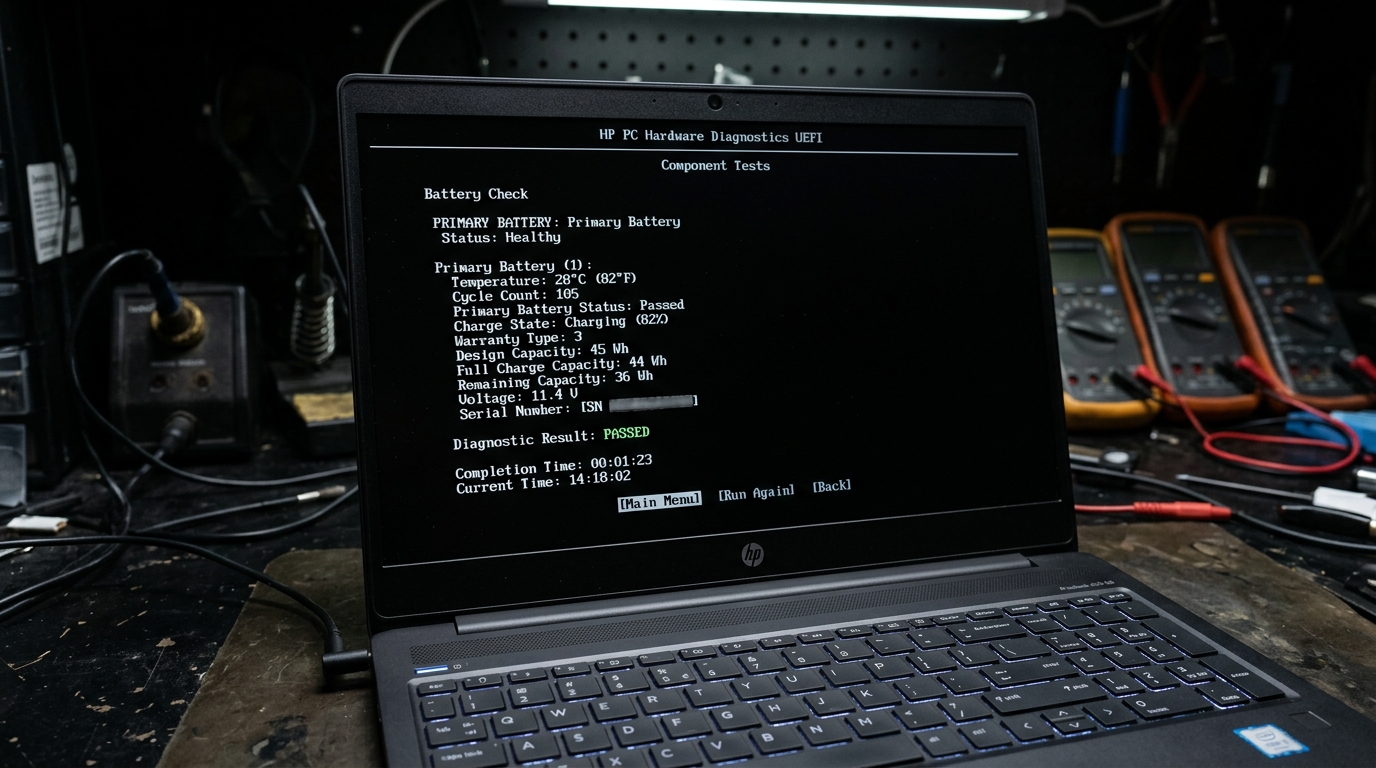 Verifying Windows battery report findings with low-level BIOS/UEFI diagnostic tests to check hardware cell integrity.
Section 3: Battery Usage History (The Degradation Timeline)
The Battery usage section shows your daily and weekly usage patterns both on battery and AC power. It records:
- How many hours per week you used your laptop on AC charger power.
- How many hours were spent on battery drain.
If your report shows that your laptop is plugged into the wall charger 90% of the time, your battery is at extreme risk of heat degradation and pouch swelling, especially in hot regions like Ahmedabad and Gandhinagar where ambient desk temperatures routinely exceed 38°C in summer.
Section 4: Battery Life Estimates (Fantasy vs Reality)
At the very bottom of the report, Windows compares two crucial projections:
- At Full Charge: How many hours your laptop would run on its current degraded capacity.
- At Design Capacity: How many hours your laptop ran when it was brand new out of the box.
If you notice that your original estimate was 7 hours 30 minutes, but your current estimate has collapsed to 1 hour 15 minutes, your battery has surpassed its useful service life.
🚨 The 4 Danger Signs in a Battery Report That Demand Immediate Action
| Symptom in Report | Technical Severity | What Happens If You Ignore It? |
|---|---|---|
| Cycle Count > 500 | ⚠️ Moderate Wear | Expected battery life drops below 1.5 hours; frequent charging needed. |
| Wear Level > 50% | ⚠️ High Degradation | Laptop can randomly shut down during unsaved presentations or code compiling. |
| Full Charge Capacity reads 0 mWh or "-" | 🚨 Critical Hardware Failure | The internal battery management fuse has tripped; battery will not charge at all. |
| Design Capacity reads abnormally high (e.g. 999,999 mWh) | 🚨 Firmware / BMS Corrupt | Dangerous cheap counterfeit battery detected; could burn charging circuits. |
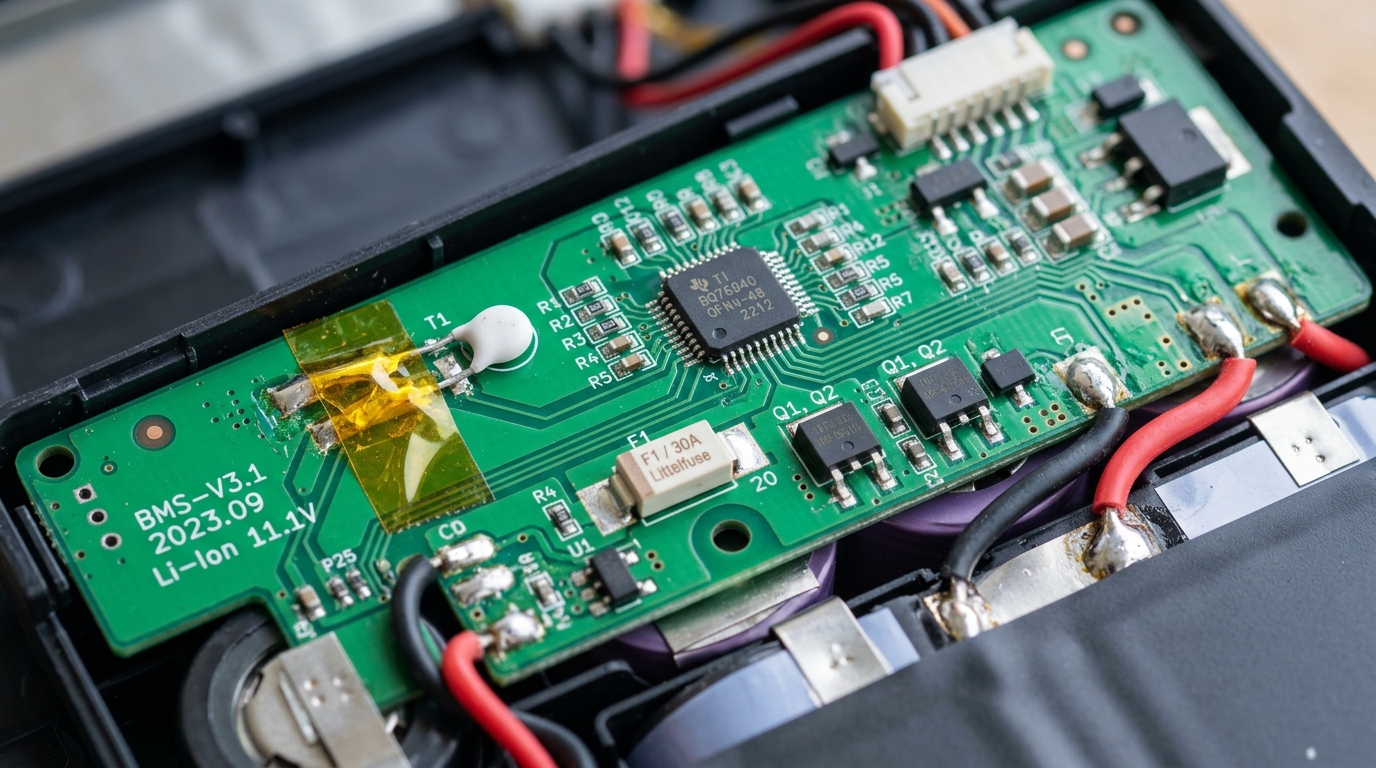 Macro inspection of the internal Battery Management System (BMS) circuit board and Texas Instruments fuel gauge controller.
🛠️ Brand-Specific Alternative Diagnostic Tools
While Windows Battery Report is universal, major laptop manufacturers also provide proprietary diagnostic utilities embedded in their BIOS or companion software:
1. Dell Laptops (Dell SupportAssist & BIOS Diagnostics):
- Restart your Dell laptop and press F12 continuously at the Dell logo.
- Select Diagnostics from the boot menu.
- The test will check battery health, charging status, and AC adapter wattage.
- Look for: "Battery health: Excellent, Good, Fair, or Poor". If it says Fair or Poor, Dell's official recommendation is immediate replacement.
2. Lenovo Laptops (Lenovo Vantage):
- Open the Lenovo Vantage app in Windows.
- Click on Device $\rightarrow$ Power.
- Check Battery Status. Lenovo displays a color-coded gauge (Green = Healthy, Yellow = Degraded, Red = Damaged).
- Lenovo also allows you to toggle Conservation Mode, which caps battery charging at 75-80% to extend cell life for desk workers.
3. HP Laptops (HP Support Assistant & UEFI F2 Diagnostics):
- For an hp laptop battery, restart and press F2 repeatedly to launch HP PC Hardware Diagnostics UEFI.
- Run the Battery Component Test to check cell resistance, thermal levels, and cycle history.
- If it outputs the dreaded error 601 (HP Battery Alert: Primary Internal Battery Failure), the battery has lost over 75% of its chemical capacity or suffered internal cell breakdown, requiring an hp laptop battery replacement.
4. ASUS Laptops (MyASUS App):
- Open MyASUS $\rightarrow$ Customization $\rightarrow$ Power & Performance.
- Use the Battery Health Charging mode to set charging limits between 60%, 80%, or 100%.
🌡️ Why Laptop Batteries Die So Fast in Ahmedabad (And How to Protect Them)
Lithium-ion cells are sensitive chemical devices. Their two greatest enemies are extreme heat and constant 100% float voltage.
In Ahmedabad, where summer temperatures regularly reach 42°C to 45°C:
- Never Leave Laptops Inside Parked Cars: The cabin temperature of a car parked at Prahlad Nagar or Vastrapur can easily hit 60°C within 30 minutes. This permanent heat exposure causes internal electrolyte boiling, permanent capacity loss, and immediate pouch swelling.
- Avoid Using Laptops on Beds or Pillows: Soft mattresses block the intake vents on the bottom chassis. Within 20 minutes, internal temperatures exceed 85°C, baking the battery located directly adjacent to the heat pipes. Always use a flat desk or a ventilated laptop stand.
- Clean Dust from Exhaust Fans Annually: Dust buildup in Ahmedabad's air clogs cooling fins. Hot air gets trapped inside the chassis, cooking the battery pack continuously.
- Use Battery Health Limiter (80% Cap): If you use your laptop as a desktop replacement connected to a monitor all day, enable the 80% charging threshold in your BIOS or brand companion software.
🔄 Does "Battery Calibration" Really Fix a Dying Battery?
You will find hundreds of YouTube videos claiming you can "Restore 100% battery health with this simple trick!" by draining and charging the laptop three times.
Let's be completely transparent: Chemical degradation in lithium cells is physically irreversible.
- Once lithium ions become trapped in oxidized cathode crystals, no software trick or calibration cycle can bring them back to life.
- What calibration actually does: It simply recalibrates the digital gauge sensor so that Windows accurately reports when the laptop will shut down. It stops the laptop from shutting down unexpectedly at 30%, but it does not give you more runtime.
- If your Windows Battery Report shows a Wear Level above 40%, the only permanent, safe solution is a hardware replacement with fresh, original lithium cells.
❓ Frequently Asked Questions (FAQ)
How do I generate a battery report in Windows 11 using CMD?
Press Win + S, type cmd, right-click Command Prompt, and select "Run as administrator". Type powercfg /batteryreport /output "C:\battery_report.html" and press Enter. Then press Win + R, enter C:\battery_report.html, and press Enter to view the full HTML diagnostic report in your browser.
What is the difference between Design Capacity and Full Charge Capacity?
Design Capacity is the factory energy storage rating (in mWh) of the battery when new. Full Charge Capacity represents the actual maximum energy the chemical cells can hold today. As lithium cells degrade, Full Charge Capacity declines while Design Capacity remains constant.
How do I calculate my laptop's battery wear level?
Divide Full Charge Capacity by Design Capacity and multiply by 100 to get your Battery Health percentage. Subtract that number from 100% to find your Wear Level. For example, if Full Charge is 20,000 mWh and Design is 40,000 mWh, your health is 50% and your wear level is 50%.
What is a normal battery cycle count for a laptop?
Modern lithium-ion laptop batteries are rated for roughly 500 to 1,000 complete charge cycles before capacity drops below 70–80%. A cycle count above 500 typically corresponds to noticeable battery runtime reduction.
Why does my battery drain so fast even when it shows 100%?
Windows reports 100% relative to the current degraded Full Charge Capacity, not the original factory capacity. If your battery has lost 60% of its cells to chemical aging, a "100% charge" only represents 40% of the runtime you had when the laptop was brand new.
Can software calibration restore degraded battery capacity?
No. Chemical degradation of lithium-ion cells is irreversible. Calibration simply synchronizes the digital sensor with Windows so the percentage display is accurate and prevents sudden shutdowns; it does not add more physical runtime.
At what wear level should a laptop battery be replaced?
A battery replacement is recommended when the wear level exceeds 40% to 50%, when runtime falls below 60 minutes, or immediately if the battery shows any physical signs of swelling.
How much does laptop battery replacement cost in Ahmedabad?
In Ahmedabad, replacement costs typically range from ₹1,800 to ₹2,800 for Grade-A certified compatible batteries, and ₹3,200 to ₹5,500 for genuine OEM batteries across Dell, HP, Lenovo, and ASUS models, including doorstep installation and verification.
🚀 Get Your Original Laptop Battery Replaced at Your Home in 60 Minutes
If your battery report reveals that your battery has degraded beyond 40% wear or is suffering from sudden shutdowns, you don't need to waste half your day traveling through traffic to a computer repair center in Nehru Bridge or Relief Road.
At Zitek Techcare, we bring the service center directly to your doorstep:
- ⚡ Prompt Doorstep Service: Book an appointment, and our certified hardware technician arrives at your location anywhere in Ahmedabad or Gandhinagar with model-matched batteries.
- 🛡️ Verified Quality Batteries: Sourced from trusted manufacturers with genuine smart BMS microchips and warranty coverage.
- 👁️ Transparent Testing in Front of You: We replace the battery on your work desk, run the live Windows Battery Report right in front of you to prove 0 Cycle Count and 100% Design Capacity, and verify everything before payment.
- 📍 Coverage Across All Areas: Bopal, SG Highway, Sindhu Bhavan Road, Nikol, Satellite, Vastrapur, C.G. Road, Maninagar, Science City, Gota, Chandkheda, Motera, and Gandhinagar Sectors.
👉 Ready to restore all-day battery life to your laptop?
Visit our dedicated service hub: Laptop Battery Replacement Services in Ahmedabad or check our Laptop Repair Ahmedabad services.
📞 Call or WhatsApp Zitek Techcare now: +91 90549 75943 for instant doorstep battery diagnosis!

We are passionate hardware engineers who enjoy crafting engaging and informative repair guides. Apart from writing, you'll find our senior team exploring new tech trends and successfully reviving complex dead motherboards across Ahmedabad. We love discovering innovative concepts and bringing dead electronics back to life.