
HP Laptop Battery Replacement & Price in Ahmedabad (2026 Guide)
If your HP laptop dies within minutes of unplugging the charger, or if Windows displays "HP Battery Alert: Primary (Internal) Battery 601" upon startup, your battery has reached the end of its chemical service life.
Finding the correct replacement battery in Ahmedabad, however, requires careful attention to detail. HP manufactures dozens of laptop sub-series under the Pavilion, 14s, 15s, Envy, Spectre, Omen, Victus, ProBook, and EliteBook lines. Two laptops that look identical on the outside may use completely different internal battery models with different voltages, connector pinouts, and physical mountings.
This guide provides an accurate, professional breakdown of HP laptop battery prices in Ahmedabad, a verified model-to-series reference, clear guidance on distinguishing genuine HP parts from third-party compatible batteries, and answers to common technical questions before you buy.
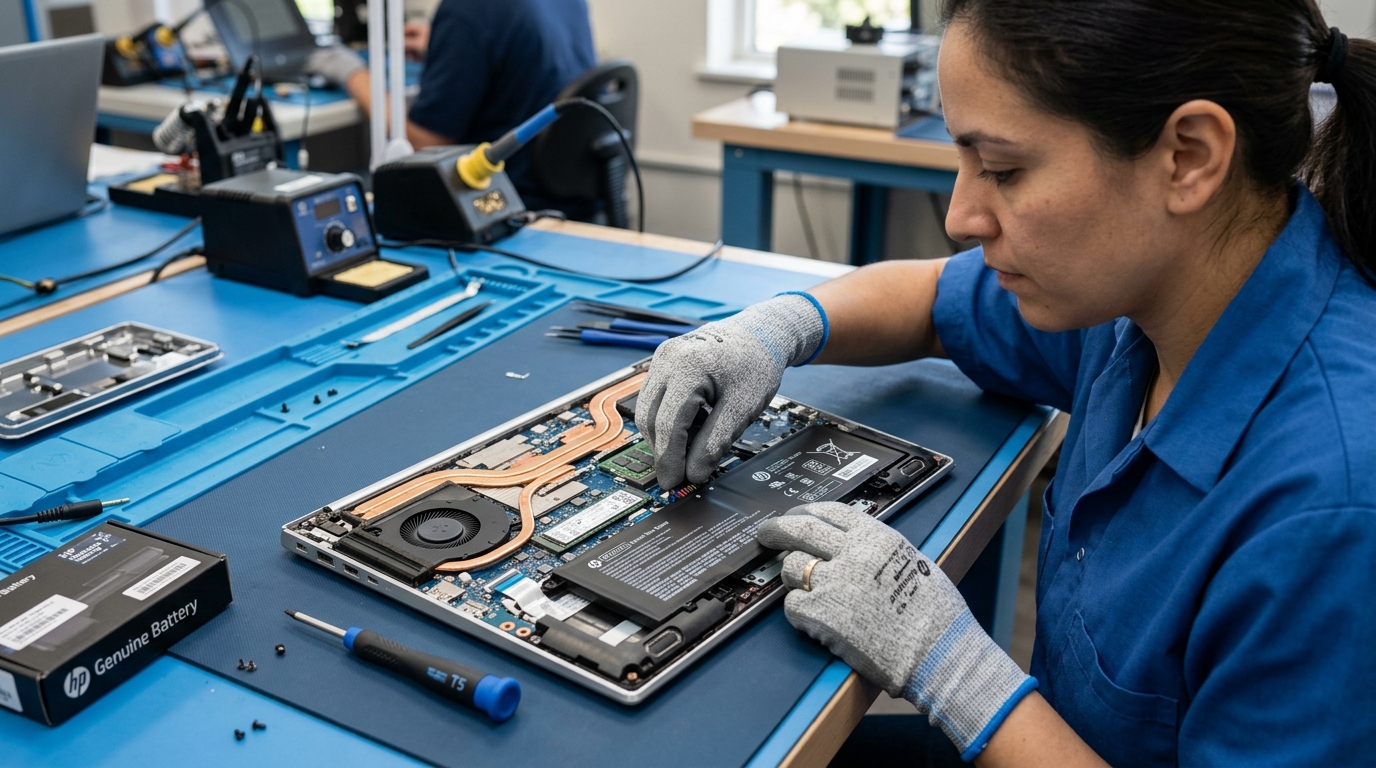 Certified Zitek technician fitting a brand-new internal HP laptop battery on our ESD-safe workbench in Ahmedabad.
⚡ HP Laptop Battery Replacement Cost in Ahmedabad (Quick Summary)
For users searching specifically for pricing, here is the current 2026 market overview for HP laptop battery replacement across Ahmedabad:
| Battery Tier / Quality | Typical Price Range | Warranty | Recommended For |
|---|---|---|---|
| High-Quality Grade-A Compatible | ₹1,800 – ₹2,800 | 6 to 12 Months | Budget-conscious users, older laptops (3+ years old), standard office work. |
| Genuine OEM / Original HP | ₹3,200 – ₹5,500 | 1 Year | Newer laptops under warranty, premium Envy/Spectre models, gaming laptops (Omen/Victus). |
| Doorstep Installation Service | Included / ₹300 | On-site verification | Technician visits home or office with multi-point battery & charging diagnostic. |
What Determines the Replacement Price?
- Cell Count & Capacity (Wh): Standard 3-cell batteries (41Wh, e.g., HT03XL, TF03XL) cost less than high-capacity 4-cell or 6-cell gaming batteries (70Wh to 83Wh, e.g., SR04XL for HP Omen).
- Internal vs External Clip-On: Older removable external batteries (like HS04, OA04) require less labor to fit, while internal glued or screw-mounted lithium polymer packs require careful chassis opening and recalibration.
- Manufacturer Quality: True OEM-grade packs using tier-1 cells (Samsung, LG Chem, Panasonic) with intelligent Battery Management Systems (BMS) carry higher manufacturing costs than uncertified generic alternatives.
📋 HP Battery Model & Part Number Reference Table
⚠️ Important Verification Notice: Laptop series names (like "HP Pavilion 15" or "HP 15s") cover dozens of annual revisions. Do not purchase a replacement battery based solely on the laptop family name. Always verify your battery model or HP Spare Part Number (
SPS #) printed directly on the battery label or retrieved via diagnostic tools before ordering.
| Battery Model Code | Common HP Spare Part Numbers | Typical Specs | Common Laptop Series |
|---|---|---|---|
| HT03XL | L11119-855, L11421-421, HSTNN-LB8L |
3-Cell Li-ion, 11.55V, 41.9Wh | HP Pavilion 14-ce, 14-cf, 15-cs, 15-cw, HP 14s-cr, 14s-dk, 15s-du, 15s-eq, 15s-fq, HP 240 G7, 245 G7, 250 G7 |
| HS04 | 807957-001, 807956-001, HSTNN-LB6V |
4-Cell Li-ion, 14.8V, 41Wh (2670mAh) | HP 14-ac, 14-af, 15-ac, 15-af, 15-ay, 15-ba, HP 240 G4, 250 G4, 255 G4 |
| JC04 | 919701-850, 919700-850, HSTNN-LB7W |
4-Cell Li-ion, 14.6V, 41.6Wh (2850mAh) | HP 15-bs, 15-bw, 15-br, 15-ra, HP 250 G6, 255 G6, HP 17-bs |
| TF03XL | 920070-855, HSTNN-LB7X |
3-Cell Li-ion, 11.55V, 41.9Wh | HP Pavilion 14-bf, 14-bk, 14-bp, 15-cc, 15-cd, 15-ck |
| SR04XL | 917724-855, HSTNN-DB7Z |
4-Cell Li-ion, 15.4V, 70.07Wh | HP Omen 15-ce, 15-dc, Pavilion Gaming 15-cb, 15-cx |
| OA04 | 740715-001, 746641-001, HSTNN-LB5Y |
4-Cell Li-ion, 14.8V, 41Wh (2600mAh) | HP 15-d, 15-g, 15-r, Compaq 15-h, 15-s, HP 240 G2, 250 G2 |
| TE03XL | 849910-850, HSTNN-UB7A |
3-Cell Li-ion, 11.55V, 61.6Wh | HP Omen 15-ax, Pavilion 15-bc |
| CS03XL | 800513-001, HSTNN-DB6U |
3-Cell Li-ion, 11.4V, 46.5Wh | HP EliteBook 745 G3/G4, 840 G3/G4, 850 G3/G4, ZBook 15u G3/G4 |
| SS03XL | 933321-855, HSTNN-LB8G |
3-Cell Li-ion, 11.55V, 50Wh | HP EliteBook 735 G5, 830 G5, 840 G5/G6, 850 G5 |
| LK04XL | 916814-855, HSTNN-UB7I |
4-Cell Li-ion, 15.4V, 55.8Wh | HP Envy x360 15-bp, 15-cn, 15-cp, 17-ae |
| VI04 | 756743-001, HSTNN-LB6K |
4-Cell Li-ion, 14.8V, 41Wh | HP Envy 14-v, 15-k, Pavilion 15-p, 17-f |
| KI04 | 800049-001, HSTNN-LB6S |
4-Cell Li-ion, 14.8V, 41Wh | HP Pavilion 14-ab, 15-ab, 17-g |
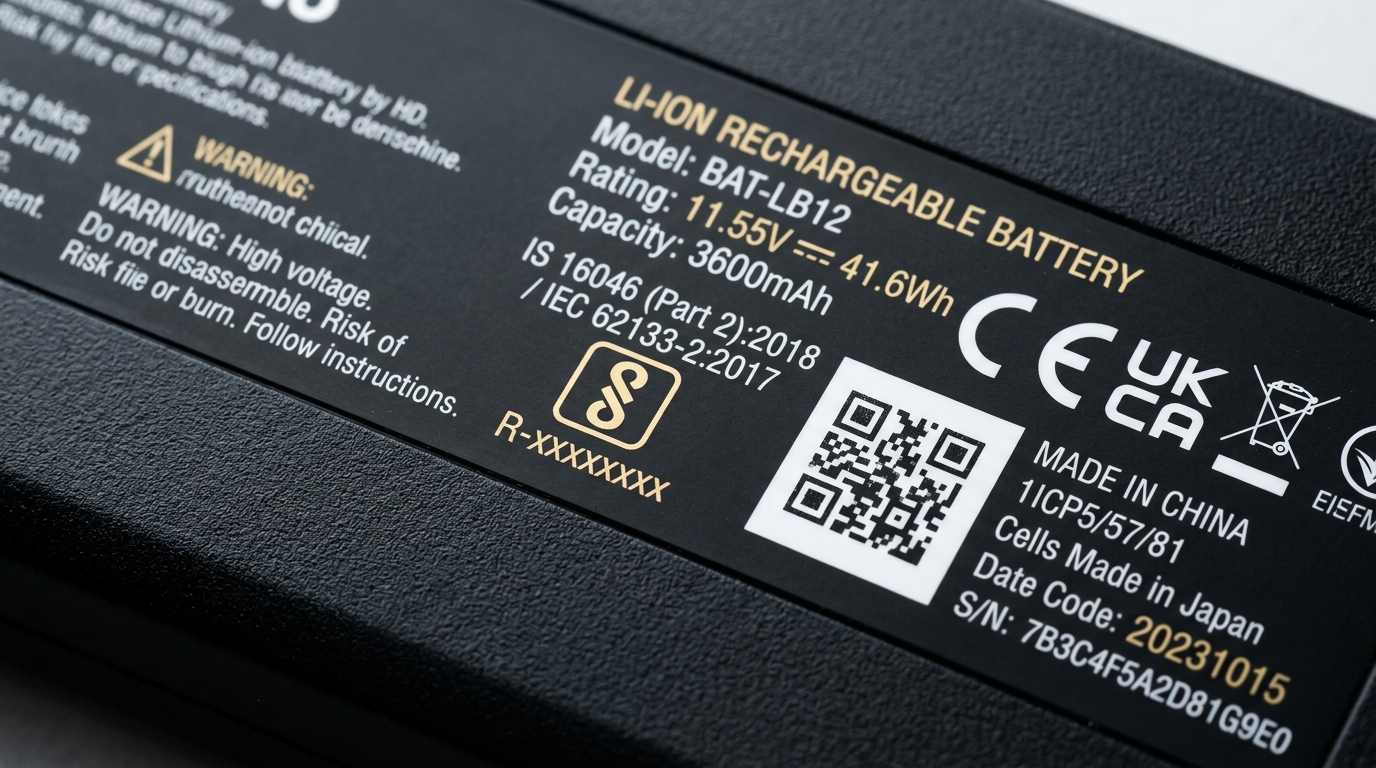 Macro inspection of an authentic HP battery label showing BIS IS 16046 mark, part numbers HT03XL and L11119-855, and QR tracking codes.
🔍 Genuine HP vs Compatible vs Counterfeit Batteries: Know the Difference
The market for laptop replacement parts contains three distinct tiers of products. Understanding the difference protects your investment and ensures hardware safety:
1. Genuine HP OEM (HP Laptop Battery Original)
- What It Is: Manufactured directly by or under strict contract for HP by certified battery assemblers (such as Simplo, Dynapack, or Sunwoda) using high-grade lithium cells from Samsung SDI, LG Chem, or Panasonic.
- Common Original Parts: Popular requests in Ahmedabad include an authentic hp laptop battery original for models like the hp hs04 battery original (
807957-001), hp jc04 battery original (919701-850), and ht03xl original battery (L11119-855). For users requiring hp pavilion battery replacement, choosing genuine OEM ensures maximum battery life and safety. - Firmware Integration: Contains an official Texas Instruments gas-gauge microcontroller fully calibrated to HP’s BIOS power management firmware.
- Pros: Guaranteed compatibility, accurate percentage reporting, full 800–1,200 charge cycle durability, and zero risk of motherboard bios rejection.
- Cons: Higher price point (typically ₹3,500 – ₹5,500 depending on model).
2. High-Quality Grade-A Compatible (Certified Third-Party)
- What It Is: Manufactured by reputable aftermarket electronics manufacturers adhering to international standards (CE, FCC, RoHS, and Indian BIS certification).
- Firmware Integration: Uses reverse-engineered BMS microcontrollers designed to mirror OEM communication protocols.
- Pros: Highly economical (typically ₹1,800 – ₹2,800), safe when properly certified, and carries a reputable supplier warranty (usually 6–12 months).
- Cons: May deliver 5%–10% less runtime than an original battery; cycle life generally ranges between 400 and 700 full cycles.
3. Uncertified Counterfeits (Grey Market Clones)
- What It Is: Low-grade batteries produced in uncertified facilities that illegally print unauthorized HP logos and fake safety marks on labels to mislead buyers.
- Risks: Often made with discarded, re-wrapped cells lacking thermal cutoff fuses. These batteries frequently suffer from premature capacity collapse within 60 to 90 days, erratic voltage spikes that can damage motherboard charging ICs, or severe pouch swelling that can crack trackpads.
🛠️ How to Accurately Identify Your HP Battery Model
Before purchasing or booking a replacement, determine your exact battery part number using one of these three reliable methods:
Method 1: Using HP Support Assistant (Software Check)
- Open HP Support Assistant on your Windows laptop.
- Select your device and click on Troubleshooting and Fixes.
- Choose Battery Check.
- Click Advanced Information.
- The utility displays:
- Battery Model Name (e.g.,
HT03XL) - HP Spare Part Number (e.g.,
L11119-855) - Design Capacity vs Full Charge Capacity
- Cycle Count
- Battery Model Name (e.g.,
Method 2: Physical Inspection of the Battery Label
- If your laptop has a removable external battery (like HS04 or JC04), slide the release latch, detach the pack, and check the regulatory label.
- Look for:
- HP Spare Part Number: Indicated as
Replace with HP Spare XXXXXX-XXX. - Model Designation: A 2-letter + 2-digit + "XL" code (such as
HT03XL,TF03XL,SR04XL). - Voltage Rating: e.g.,
11.55Vor14.8V.
- HP Spare Part Number: Indicated as
Method 3: Using Your Laptop Product Number (SKU)
If you cannot open the laptop or the software is inaccessible, look at the bottom casing of your laptop for the laser-etched serial label:
- Find the Product Number / Model (e.g.,
15s-fq2071TUorPavilion 15-cs3006TX). - A qualified hardware technician can look up the exact factory bill of materials (BOM) in HP's parts database to match the precise battery model.
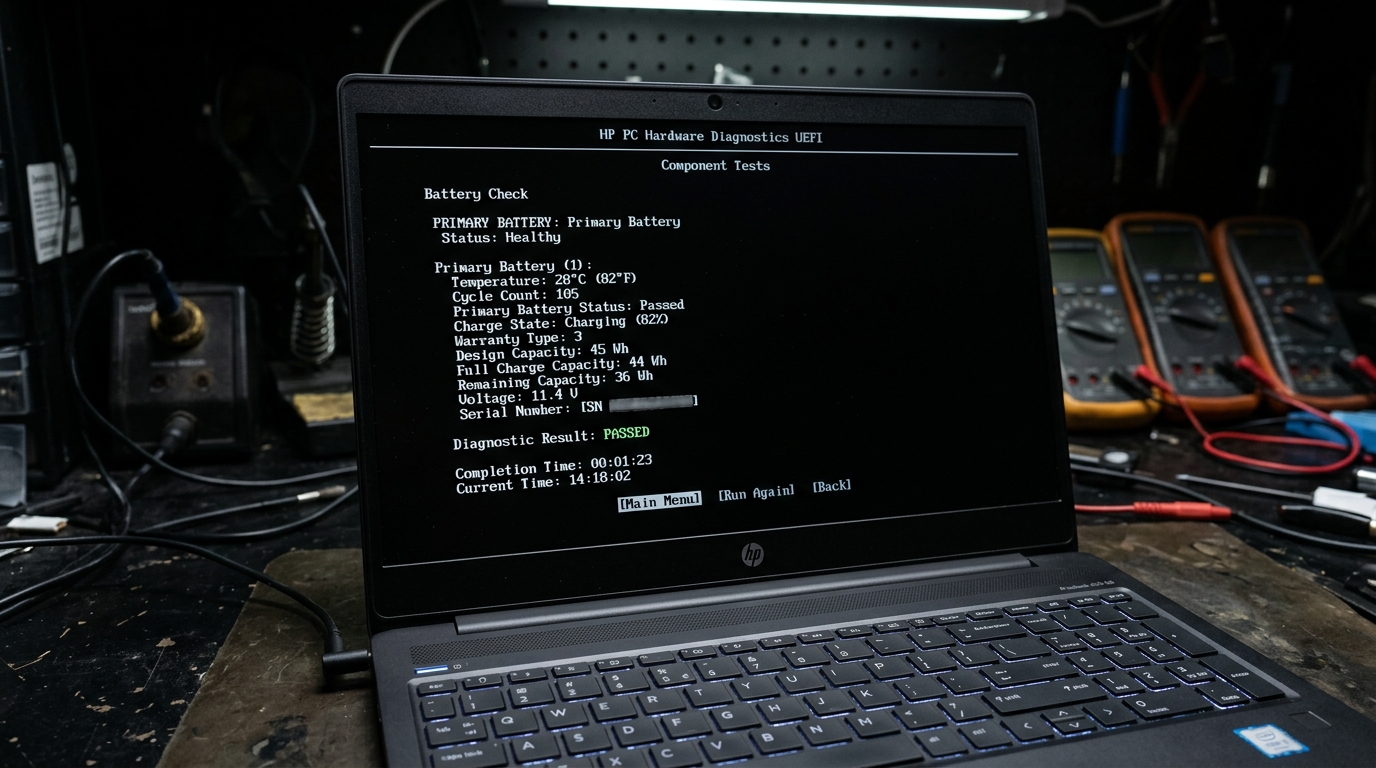 Running low-level HP PC Hardware Diagnostics UEFI to verify battery health, cell voltages, and thermal reporting directly at the BIOS level.
⚠️ Key Warning Signs of a Failing HP Laptop Battery
Lithium-ion batteries degrade gradually through chemical aging. Watch for these clear indicators that replacement is necessary:
- HP Battery Alert 601 at Boot:
The BIOS detects that the battery's maximum storage capacity has fallen below 25% of its original design threshold. The system continues to boot, but autonomy is severely compromised. - Sudden Power Loss Below 30%–40%:
The laptop indicates remaining battery life, but abruptly powers off without warning when running demanding tasks (video conferencing, photo editing, or multiple browser tabs). - Physical Swelling (Trackpad / Keyboard Bulging):
If your trackpad becomes stiff to click, lifts above the palmrest, or the laptop casing fails to close flat, internal lithium pouches have expanded due to outgassing. Stop charging the laptop immediately and have it inspected by a professional. - Operation Restricted Exclusively to AC Adapter:
The laptop turns off the instant the power cord is disconnected. The battery cells have open-circuited.
🔧 Can You Replace an HP Laptop Battery Yourself?
- External Batteries (HS04, JC04, OA04, VI04):
Yes. These clip-on packs require zero tools. Simply power down the laptop, slide the battery lock latch, remove the old pack, and click the new unit into place. - Internal Batteries (HT03XL, TF03XL, SR04XL, CS03XL):
Internal batteries require removing the rubber foot strips, unscrewing 6 to 10 chassis screws, gently uncoupling plastic clips with a pry tool, and carefully disconnecting the battery ribbon cable from the motherboard.- Caution: Puncturing a lithium-polymer pouch with a screwdriver or dropping screws onto an active motherboard can cause electrical shorts or fire hazards. For internal models, professional doorstep installation is strongly recommended.
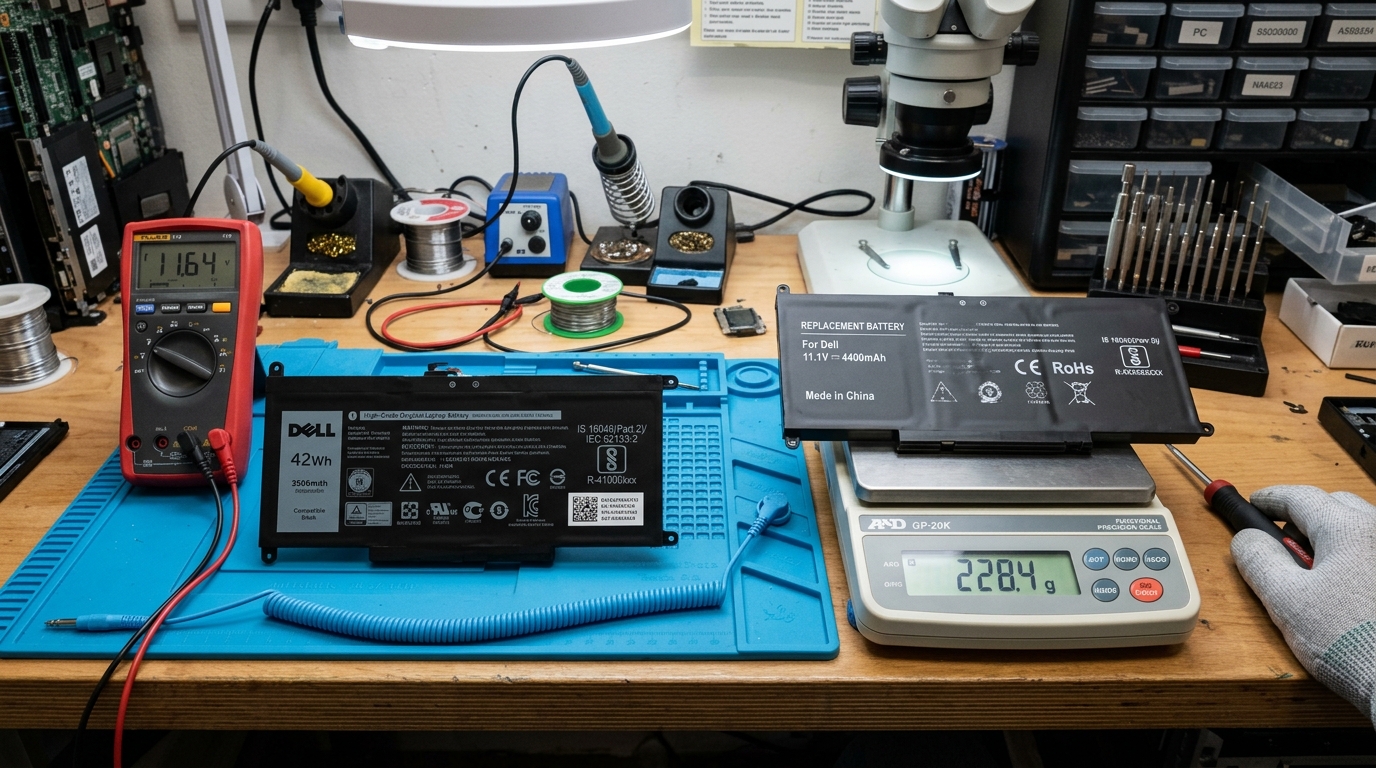 Verifying battery authenticity in our Ahmedabad repair lab using a digital precision scale to check cell density and copper heat shielding.
❓ Frequently Asked Questions (FAQ)
How much does an HP laptop battery cost in Ahmedabad?
In Ahmedabad, a high-quality Grade-A compatible HP battery typically costs between ₹1,800 and ₹2,800, including a 6- to 12-month warranty. Genuine OEM HP batteries generally cost between ₹3,200 and ₹5,500, depending on whether your laptop is a standard entry-level notebook or a high-performance gaming/workstation model.
How do I know which HP battery I need?
The most reliable method is to check the HP Spare Part Number (Replace with HP Spare XXXXXX-XXX) printed on your battery label or displayed in the HP Support Assistant utility under Battery Check > Advanced Information. You can also provide your laptop's exact model number (e.g., HP 15s-du1052TU) to a verified technician.
Is HT03XL compatible with all HP laptops?
No. While HT03XL (L11119-855) is one of the most widely used internal battery models in HP 14s, 15s, and Pavilion series from 2018–2023, it is not universally compatible. Models manufactured before 2018 often use HS04, JC04, or TF03XL, while gaming and business models require different form factors and voltages.
How long does an HP laptop battery typically last?
A genuine HP lithium-ion battery typically lasts 2 to 4 years, or roughly 500 to 1,000 full charge cycles, before its capacity drops below 70% of design capacity. High operating temperatures, frequent deep discharges to 0%, and continuous 100% charging under heavy load accelerate degradation.
What does HP Battery Alert 601 mean?
HP Battery Alert 601 is an automated UEFI/BIOS warning indicating that the primary internal battery's usable storage capacity has degraded below the manufacturer's recommended operating threshold. It indicates that the battery requires replacement, though the laptop can still operate safely on AC adapter power.
Is it safe to use a third-party compatible battery?
Yes, provided the battery is from a reputable manufacturer with valid BIS (Bureau of Indian Standards) certification and an integrated Battery Management System (BMS) with thermal and over-voltage protection. Avoid unbranded, grey-market clones that counterfeit OEM brand markings.
How long does HP battery replacement take?
For external clip-on models, replacement takes under one minute. For internal batteries, professional replacement typically takes 20 to 35 minutes, including chassis opening, internal dust cleaning, battery connector seating, and diagnostic verification.
Can I continue using my HP laptop with the charger if the battery is dead?
Yes, most HP laptops can run directly off the AC adapter with a dead battery. However, if the battery shows any signs of physical swelling or thermal overheating, it should be disconnected and removed immediately to protect internal components and the palmrest.
📍 Doorstep HP Laptop Battery Service Across Ahmedabad
If you need a reliable, professional battery replacement without leaving your home or office, Zitek Techcare provides dedicated on-site laptop repair services across Ahmedabad and Gandhinagar.
- On-Site Verification: Technicians bring verified, model-matched batteries directly to your location, allowing you to inspect the part before installation.
- Transparent Testing: Includes live Windows Battery Report generation, charging circuit diagnostics, and calibration.
- Service Coverage: Available across major Ahmedabad localities, including Satellite, Vastrapur, Bopal, SG Highway, Sindhu Bhavan Road, Prahlad Nagar, Nikol, Naroda, C.G. Road, Maninagar, Science City, Gota, Chandkheda, and Gandhinagar Sectors.
👉 Explore related battery services:
- Dedicated HP Laptop Battery Replacement in Ahmedabad
- Complete Laptop Battery Replacement Services in Ahmedabad
- Laptop Repair & Diagnostics Ahmedabad
📞 Contact Zitek Techcare: For model confirmation, current stock availability, and service booking, contact +91 90549 75943.

We are passionate hardware engineers who enjoy crafting engaging and informative repair guides. Apart from writing, you'll find our senior team exploring new tech trends and successfully reviving complex dead motherboards across Ahmedabad. We love discovering innovative concepts and bringing dead electronics back to life.