
Laptop Shuts Down When Charger Unplugged: Causes & Instant Doorstep Solutions
Here is a scenario that thousands of laptop owners in Ahmedabad face every single day:
You turn on your laptop. It boots up smoothly, runs all your software, connects to Wi-Fi, and works completely fine—as long as the power adapter is firmly plugged into the wall. The battery icon in the taskbar might even claim it is "100% Fully Charged" or "Plugged in, charging". Perhaps you previously noticed your hp laptop battery draining fast, but now the situation has worsened.
Then, you need to carry your laptop to a conference room, sit on your sofa, or simply unplug the charger to plug in your phone.
The exact millisecond the charger pin leaves the laptop's DC jack: SNAP. Black screen. Instant silence. No warning message. No "Locking" screen. Your laptop turns off when unplugged without warning. When a laptop battery dies immediately upon disconnecting the adapter, it wipes out your unsaved Excel sheets, code files, or browser tabs.
Why does a laptop completely lose its ability to run on battery power? Is the battery 100% dead, or is there a tiny component on your motherboard that has failed?
In this comprehensive, 3,000-word engineering breakdown from Zitek Techcare Ahmedabad, our senior motherboard and battery specialists break down the 6 exact hardware and software causes behind instant battery power cuts, how to safely test your laptop at home, the hidden risks of using a laptop purely on charger power, and how to get it fixed at your doorstep in under 60 minutes.
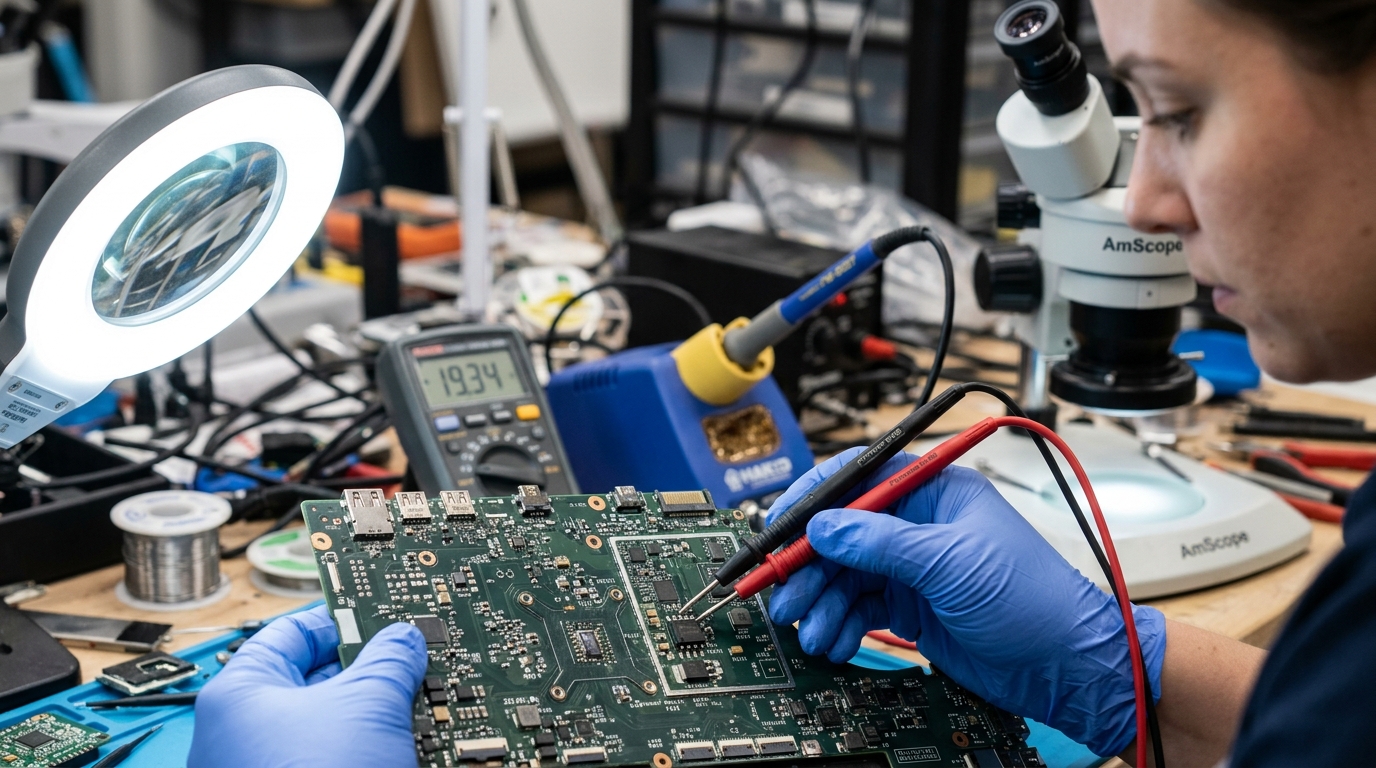 Diagnosing power switching MOSFETs and battery charging controller under microscope in our Ahmedabad repair center.
⚡ How a Laptop Power Circuit Actually Works (The 10-Millisecond Handshake)
To understand why your laptop dies when unplugged, you first need to understand the clever piece of electronic engineering taking place inside your computer.
Your laptop has two distinct power sources:
- The External AC Power Adapter (Charger): Typically delivers 19V to 20V of direct current (DC).
- The Internal Battery Pack: Typically delivers 11.1V to 15.4V of direct current depending on whether it is a 3-cell or 4-cell configuration.
On your laptop's motherboard, there is a dedicated circuit called the Power Path Management Circuit (or Battery Multiplexer) controlled by a tiny microchip called the Charging IC (e.g., BQ24735, ISL88739).
When you unplug the charger, this circuit must detect the drop in external 19V power and switch over to internal battery voltage in less than 10 to 15 milliseconds—faster than the blink of a human eye! If that switchover takes even 25 milliseconds, the motherboard's main power rail (called VCC_CORE) drops below critical threshold, and the CPU instantly shuts down to protect its internal transistors.
If your laptop shuts down immediately, that 10-millisecond handover has failed completely.
🔬 The 6 Technical Causes Behind Immediate Power Shutdowns
Cause 1: Complete Internal Lithium Cell Exhaustion (Open Circuit)
This is the most common cause (responsible for roughly 65% of all cases).
Inside your laptop's battery pack, 3 to 6 individual lithium-ion or lithium-polymer cells are wired together in a series circuit. Just like old Diwali fairy lights, if even one single cell in a series circuit fails completely and develops an internal open-circuit (infinite resistance), the entire battery pack can no longer deliver current.
Why Does Windows Still Show 100%?
The microchip on the battery's circuit board remembers the last recorded voltage level. When the charger is connected, the charger pushes 19V across the pins, fooling the sensor into thinking the battery is full. But the moment the charger is pulled away, the dead internal cell cannot push any actual electrons. The voltage collapses from 12V to 0V in a microsecond, killing the laptop.
Cause 2: The Tripped BMS Safety Fuse (Blown Thermal Protector)
Inside every authentic Dell, HP, Lenovo, ASUS, and Apple battery, there is a miniature circuit board called the Battery Management System (BMS). On this board sits a tiny, specialized component known as a Chemical / Thermal Fuse (often made by Sony or Schott).
This fuse has three pins and is designed to blow permanently if:
- An internal cell overheats past 70°C.
- An external power surge or short-circuit hits the laptop during lightning or voltage fluctuations (very common during Ahmedabad's monsoon season).
- The cells swell up and exert physical pressure on the casing.
When this safety fuse blows, it permanently severs the connection between the battery cells and the motherboard output pins. The battery is now completely, irrevocably dead as a safety precaution to prevent a lithium fire.
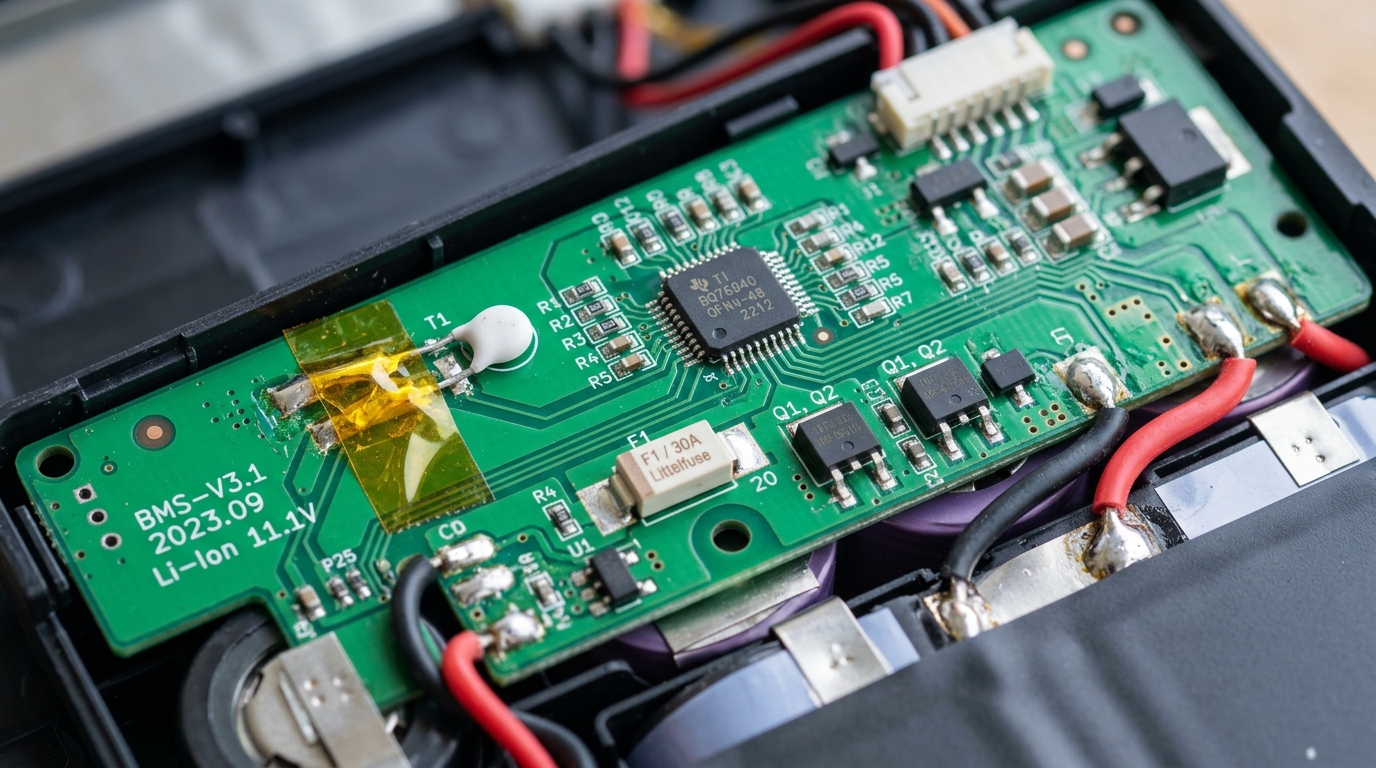 Macro view of the internal BMS board showing trippable chemical fuse and thermal cutoff safety circuit.
Cause 3: Burnt Power Switching MOSFET on the Motherboard
In about 15% of the laptops brought to our Ahmedabad repair center, the battery itself is actually in decent health, but the laptop still dies the moment you pull the plug!
What is a Power Switching MOSFET?
A MOSFET is an ultra-fast electronic switch. On your motherboard, right near the battery connector, there are two primary MOSFETs:
- The DC-IN MOSFET: Lets 19V power enter from the wall charger.
- The Battery Discharge MOSFET: Sits between the battery pins and the main system power rail.
When the charger is plugged in, the charging controller keeps the Battery MOSFET turned OFF. The moment the charger is unplugged, the controller instantly pulses the gate pin of the Battery MOSFET to turn ON and supply battery power.
If this tiny Battery MOSFET has burned out (often showing a visible micro-crater under our microscope), power cannot flow from the battery to the processor. The laptop works perfectly on the adapter, but dies the instant you unplug it.
🛠️ Good News: A burnt MOSFET can be replaced by our chip-level micro-soldering engineers without needing an expensive full motherboard replacement!
Cause 4: Loose, Oxidized, or Unseated Internal Battery Connector
In modern ultrabooks and thin-and-light laptops (like Dell XPS, HP Envy, Lenovo Slim, and Asus ZenBook), the battery is connected to the motherboard via a delicate multi-wire ribbon cable or a flat pressure connector with 8 to 10 gold-plated pins.
If your laptop has suffered a physical drop, or if it was recently opened by an amateur technician for cleaning, this connector can easily become:
- Partially unseated: Vibrations from daily travel on Ahmedabad's bumpy roads can cause the connector to loosen just enough that the high-current power pins lose contact while the low-voltage data pins still report to Windows.
- Oxidized / Corroded: High humidity during monsoon months creates a microscopic layer of oxidation across the copper contacts, creating high electrical resistance that drops voltage under load.
Cause 5: Corrupt Windows ACPI Battery Driver or Power Plan Glitch
While less common for sudden hardware blackouts, software corruption can cause Windows to trigger an instantaneous shutdown signal:
When you unplug the charger, Windows switches power plans from "High Performance" (AC mode) to "Balanced / Power Saver" (Battery mode). If a corrupted driver or third-party power management utility misinterprets the sudden voltage step-down, it can trigger an emergency shutdown interrupt (KERNEL_POWER_EVENT) before the system stabilizes.
Cause 6: Dangerous Swollen Lithium Pouch (Physical Mechanical Pressure)
If your battery has begun to swell due to chemical gas buildup, the expanding pouch pushes violently against the internal structural frame of the laptop.
Modern laptop chassis are packed with microscopic tolerances. When the battery expands:
- It bends the internal motherboard PCB, breaking microscopic solder balls underneath the power management IC.
- It trips internal safety interlock switches that physically cut power delivery.
🚨 Critical Warning: If your laptop's trackpad is sticking up, your keyboard is warping, or the bottom casing does not sit flat on your desk, STOP PLUGGING IN YOUR CHARGER IMMEDIATELY. A swollen battery is a severe chemical fire hazard that can ignite if punctured or overcharged.
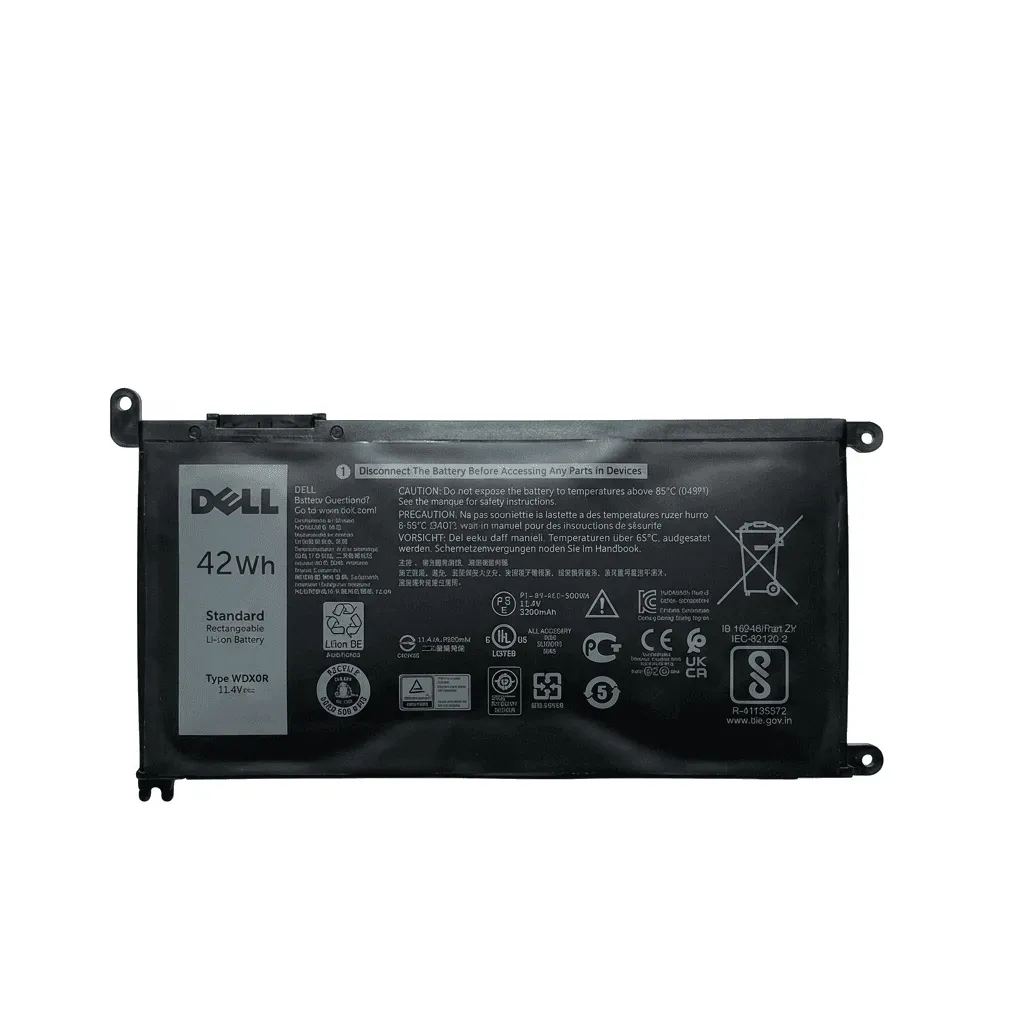 Swollen lithium polymer pouch removed from an overheating laptop before it cracked the trackpad frame.
🛠️ The 4-Step DIY Diagnostic Routine You Can Do at Home
Before calling a technician, run through this 5-minute diagnostic checklist to narrow down the fault:
Step 1: The 30-Second Hard Static Discharge Test
- Shut down your laptop completely.
- Unplug the charger, USB mouse, pen drives, and all cables.
- If your laptop has a removable battery, take it out. (If it has an internal battery, leave it inside).
- Press and hold the Power Button continuously for 30 full seconds.
- Release the button.
- Plug the charger back in.
- Turn the laptop on, let Windows load fully, and then unplug the charger.
- Did it stay on? If yes, static charge on the motherboard was locking the switching circuit. If it still dies instantly, proceed to Step 2.
Step 2: The Charging LED Indicator Test
Look closely at the tiny LED light next to your laptop's charging port or on the front lip:
- Solid White / Blue: The battery is fully charged and communicating with the motherboard.
- Solid Amber / Orange: The battery is actively taking charge.
- Blinking Amber / Orange Rapidly: The battery has detected an internal cell fault or thermal failure and is refusing to accept power.
- No Light At All (when plugged in): The DC charging jack, charger pin, or motherboard input circuit is damaged.
Step 3: Check Battery Status in BIOS (Bypassing Windows)
- Turn off your laptop.
- Power it on and immediately tap the BIOS key:
- Dell: Tap
F2repeatedly. - HP: Tap
ESC, then pressF10orF2. - Lenovo: Tap
F1orEnter. - ASUS / Acer: Tap
F2orDEL.
- Dell: Tap
- Navigate to Battery Information or Power Settings:
- If BIOS says "Battery Health: Poor", "Replace Battery", or "Error 601", the internal cells have expired chemically.
- If BIOS says "Battery: Normal", but the laptop still dies when unplugged, the fault is either the motherboard switching MOSFET or an unseated connector cable.
Step 4: Generate a Windows Battery Report via Command Prompt
Open Command Prompt as Administrator, type:
powercfg /batteryreport /output "C:\battery_report.html"
Open C:\battery_report.html and look at Full Charge Capacity:
- If Full Charge Capacity is 0 mWh or missing, the battery has completely lost its connection to the cells.
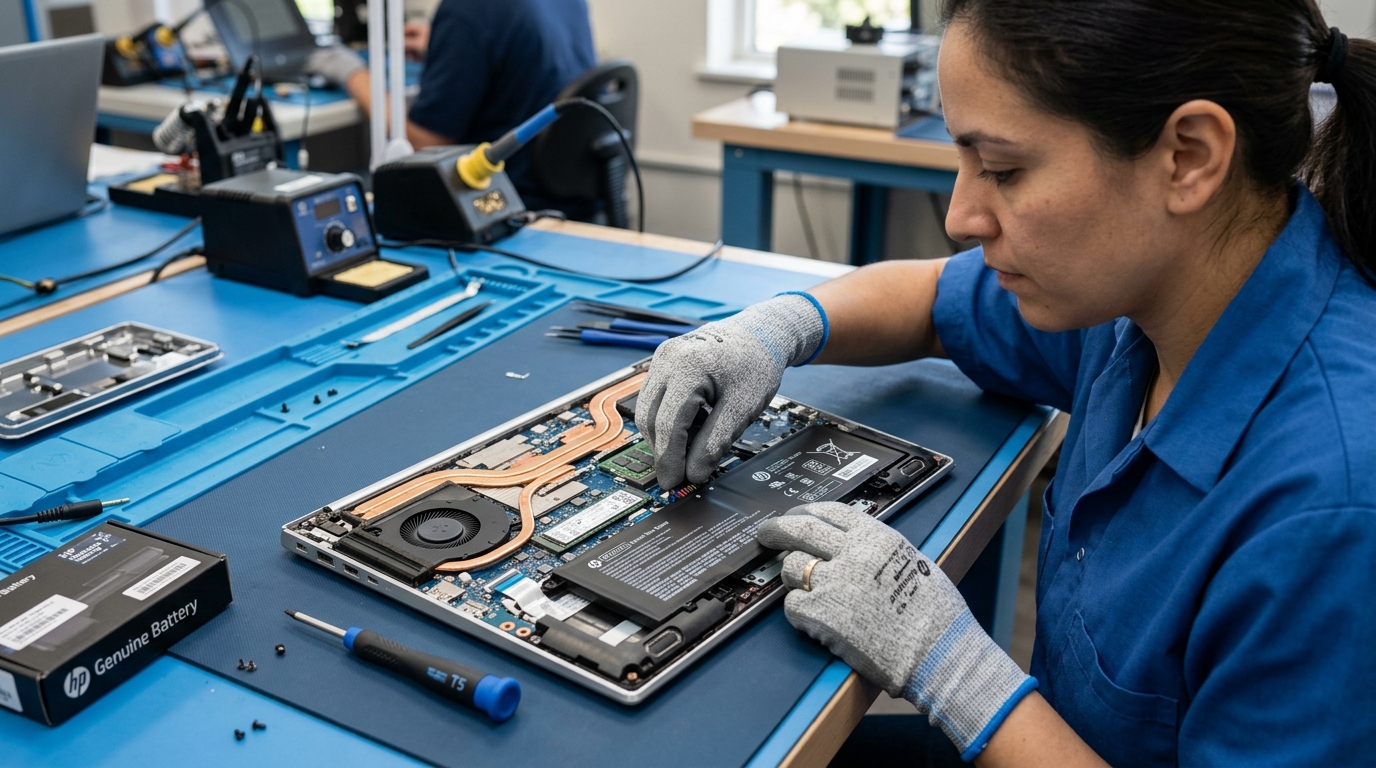 Installing a verified genuine replacement battery on our ESD-safe workbench in Ahmedabad.
⚠️ The Hidden Danger of Running Your Laptop "Only on Charger"
Many people in Ahmedabad think: "My battery is dead, but I don't travel anyway. I'll just keep the charger plugged in forever and use it like a desktop."
Here is why this is a dangerous and costly gamble:
- Motherboard Overheating: Modern laptop power adapters are designed to supply power in tandem with the battery. When your CPU or GPU requires sudden turbo bursts (opening heavy spreadsheets, editing video, or gaming), the laptop draws extra current from the battery. If the battery is dead, the power adapter runs at 100% capacity continuously, causing intense heat that burns out the motherboard's power delivery VRMs (Voltage Regulator Modules).
- Corrupted Operating System & Lost Data: Ahmedabad's power grid frequently experiences micro-cuts and sudden voltage drops during peak summer and monsoon months. If your power flickers for half a second while you are writing an email, updating Windows, or saving an accounting database, your laptop hard crashes. This corrupts Windows system files, causing the dreaded Blue Screen of Death (BSOD) and permanent SSD data corruption.
- Silent Battery Swelling: A dead battery left inside a warm laptop continues to receive trickle voltage. Over 3 to 6 months, the exhausted electrolyte chemicals break down into flammable gas, swelling the battery until it shatters your trackpad or punctures against chassis screws.
📊 Repair vs Replace Decision Matrix: Laptop Battery Price & Costs in Ahmedabad
For laptop owners across Ahmedabad, understanding the exact laptop battery price and repair costs helps you make an informed decision between simple component servicing and full hardware replacement:
| Underlying Cause | Diagnostic Indicator | Recommended Solution | Typical Cost in Ahmedabad |
|---|---|---|---|
| Dead Lithium Cells | Windows shows 0% or dies instantly; Battery Report shows high wear | Replace with 100% Original Battery | ₹2,200 - ₹3,800 |
| Loose Battery Cable | Laptop works intermittently; dies when shaken or tapped | Reseat and secure internal battery cable | ₹400 - ₹800 |
| Burnt Motherboard MOSFET | Brand new battery installed, but still dies when unplugged | Micro-soldering component replacement | ₹1,500 - ₹2,800 |
| Broken DC Jack Pin | Charger falls out easily; laptop dies from loose connection | Replace DC-IN power jack cable | ₹600 - ₹1,200 |
| Swollen Battery Pouch | Trackpad hard to click; chassis bulging or warped | Emergency Battery Extraction & Replacement | ₹2,200 - ₹3,800 |
❓ Frequently Asked Questions (FAQ)
Why does my laptop shut down immediately when I unplug the charger?
In over 65% of cases, immediate shutdown occurs because the internal lithium-ion or lithium-polymer cells have suffered complete chemical exhaustion (an internal open-circuit). Other common causes include a blown three-pin thermal safety fuse on the battery's BMS board, a burned power-switching MOSFET on the motherboard, or a loose internal battery connector cable.
Why does Windows show 100% battery if the laptop dies the second it is unplugged?
Windows displays 100% because the charger is applying full 19V operating voltage across the DC rail, which fools the voltage sensor in the battery microchip. However, the dead internal cells have lost their charge storage capacity and cannot push real amperage. The millisecond the 19V external source is removed, the voltage rail collapses to 0V instantly.
Is it safe to use a laptop only on the charger without a working battery?
While it will power on, using a laptop continuously with a dead battery carries serious risks. Voltage fluctuations in Ahmedabad can cause instant crashes and SSD file corruption. Additionally, during heavy CPU/GPU loads, laptops draw supplemental current from the battery; without it, the power adapter runs at 100% capacity, overheating motherboard voltage regulator modules (VRMs). Finally, dead batteries left inside warm laptops frequently swell, destroying keyboards and trackpads.
How do I know if the problem is my battery or the motherboard?
Check your laptop BIOS/UEFI diagnostic menu (tap F2 or ESC at boot). If the hardware diagnostic reports "Battery Error 601", "Permanent Failure", or "Replace Battery", the battery cells have expired. If the BIOS reports the battery health as "Normal" or "Excellent" yet the laptop still shuts down the instant the charger is disconnected, the fault lies in the motherboard's power path switching MOSFETs or charging IC (such as BQ24725 or ISL88739).
Why is my HP Victus or HP Omen gaming laptop battery draining fast while plugged in?
High-performance gaming laptops with dedicated NVIDIA RTX GPUs can draw more wattage under heavy gaming loads than a standard 150W or 200W adapter can supply alone. In such hybrid power architectures, the laptop draws extra power from the battery. However, if the battery is draining abnormally fast or dying when unplugged, the cells have worn out or an incorrect wattage charger is being used.
How much does laptop battery replacement cost in Ahmedabad?
For standard HP, Dell, Lenovo, Acer, and ASUS laptops, certified Grade-A compatible batteries typically cost ₹1,800 to ₹2,800 with 6 to 12 months warranty. 100% genuine OEM batteries range from ₹3,200 to ₹5,500 depending on cell capacity (e.g., 41Wh HT03XL vs 70.07Wh SR04XL gaming battery), including doorstep testing and installation.
Can a burnt motherboard power MOSFET be repaired without replacing the entire motherboard?
Yes. At Zitek Techcare's advanced chip-level lab in Ahmedabad, our micro-soldering engineers replace individual surface-mount MOSFETs and PWM charging controllers under high-magnification microscopes. Component-level repair typically costs ₹1,500 to ₹2,800, saving you 70% compared to a complete motherboard replacement at authorized service centers.
How quickly can Zitek Techcare replace my dead battery in Ahmedabad?
Our certified technician arrives at your home or office within 60 minutes anywhere across Ahmedabad (Satellite, Bopal, SG Highway, Prahlad Nagar, Vastrapur, Nikol, Naroda, Maninagar, Science City, Chandkheda) and Gandhinagar with brand-new, model-matched original batteries. We replace the battery and verify performance in front of your eyes in under 30 minutes.
🚀 Get It Fixed at Your Home in 60 Minutes with Zitek Techcare
You don't need to haul your laptop through heavy traffic to a repair market, leave it on a dusty shelf for three days, or worry about technicians swapping out your RAM or SSD.
At Zitek Techcare, we bring the complete diagnostic lab and genuine replacement parts directly to your home or office across Ahmedabad and Gandhinagar:
- ⚡ 60-Minute Rapid Doorstep Visit: Book an appointment, and our certified senior technician arrives at your door with specialized diagnostic multimeters, original batteries, and professional tools.
- 👁️ 100% Transparent, Front-of-Eyes Repair: We open the laptop on your desk, test the motherboard power rail, check the battery connector, and explain the exact issue before quoting a single rupee.
- 🛡️ Guaranteed 100% Original Parts: We carry authentic, brand-new batteries for Dell, HP, Lenovo, ASUS, Acer, and MacBook with up to 1-year replacement warranty.
- 📍 Complete Ahmedabad & Gandhinagar Coverage: Sindhu Bhavan Road, SG Highway, Bopal, Satellite, Vastrapur, C.G. Road, Maninagar, Nikol, Naroda, Science City, Gota, Chandkheda, Motera, and Gandhinagar Sectors.
👉 Ready to unplug your laptop and enjoy true portable freedom again?
- HP Laptop Battery Replacement Ahmedabad
- Dell Laptop Battery Replacement Ahmedabad
- Explore all Laptop Battery Replacement Services in Ahmedabad
- Book Doorstep Laptop Repair Ahmedabad
📞 Call or WhatsApp Zitek Techcare now: +91 90549 75943 for instant doorstep diagnosis and repair!

We are passionate hardware engineers who enjoy crafting engaging and informative repair guides. Apart from writing, you'll find our senior team exploring new tech trends and successfully reviving complex dead motherboards across Ahmedabad. We love discovering innovative concepts and bringing dead electronics back to life.