
HP Laptop Charger & Adapter Buying Guide: 45W, 65W, 90W, Blue Pin, USB-C & Genuine vs Fake in Ahmedabad
Whether you accidentally left your hp laptop charger at an office in Prahlad Nagar, damaged the power cable during travel, or your current adapter triggers the warning "Smart AC Adapter Warning: For full performance, connect a higher capacity AC adapter", purchasing the right replacement power adapter is essential for hardware health.
Whether you need a reliable hp notebook laptop charger for an HP 14s/15s or a dedicated hp notebook charger for a Pavilion or ProBook, selecting an authentic power unit in Ahmedabad involves more than simply finding a barrel plug that fits. HP has engineered multiple connector sizes (4.5mm Blue Pin, 7.4mm Black Pin, and USB-C Type-C), distinct voltage/amperage ratings ranging from 45W to 200W, and an intelligent third-wire Smart Pin communication protocol. Using an incorrect wattage or an uncertified clone can throttle your processor to a crawl (0.79 GHz), trigger erratic touchpad behavior, or damage internal motherboard MOSFETs.
This guide provides a hardware engineer's perspective on HP laptop chargers, covering wattage calculations, connector pinout specifications, compatibility rules, verified pricing across Ahmedabad, and answers to critical buyer questions.
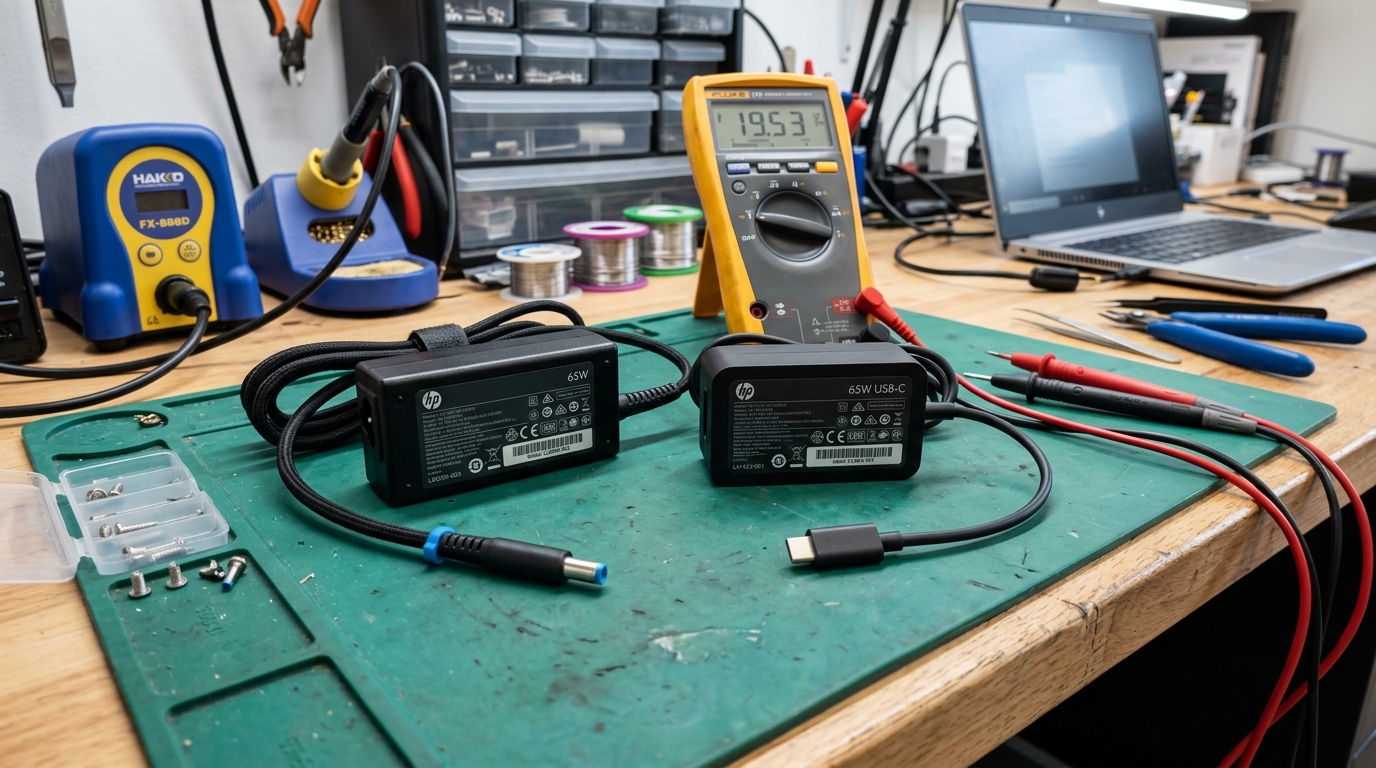 Testing output voltage of an authentic HP 65W blue-pin adapter and USB-C charger on our electronics repair bench in Ahmedabad.
⚡ HP Laptop Charger Price & Specs in Ahmedabad (Quick Summary)
| Charger Specification | Voltage & Amperage | Connector Type | Typical Genuine Price | Common Compatible Models |
|---|---|---|---|---|
| HP 45W Smart Adapter | 19.5V --- 2.31A |
4.5mm Blue Pin / USB-C | ₹1,400 – ₹1,800 | HP 14s, 15s, 240 G7/G8, Pavilion x360, Chromebook |
| HP 65W Smart Adapter | 19.5V --- 3.33A |
4.5mm Blue Pin / USB-C | ₹1,600 – ₹2,100 | HP Pavilion 14/15, ProBook 440/450, EliteBook 840 G3–G6 |
| HP 90W Smart Adapter | 19.5V --- 4.62A |
4.5mm Blue Pin / 7.4mm Black | ₹1,900 – ₹2,500 | HP Envy 15/17, older EliteBook Workstations, ProBook |
| HP 150W Gaming Adapter | 19.5V --- 7.7A |
4.5mm Blue Pin | ₹2,800 – ₹3,600 | HP Pavilion Gaming 15-ec/dk, ZBook Studio G3–G5 |
| HP 200W Gaming Adapter | 19.5V --- 10.3A |
4.5mm Blue Pin (Shielded) | ₹3,800 – ₹4,800 | HP Victus 15/16, HP Omen 15/16/17 (RTX Graphics) |
| HP 65W USB-C GaN Adapter | 5V/9V/12V/15V/20V 3.25A |
USB Type-C (Power Delivery) | ₹2,200 – ₹2,900 | HP Spectre x360, Envy 13/15, EliteBook G7+, ProBook G8+ |
🔌 The 3 Physical HP Charger Connectors Explained
Before checking wattage, verify the physical barrel plug required by your laptop chassis:
1. 4.5mm Small Blue Pin (With Center Smart Pin)
- Dimensions: 4.5mm outer diameter, 3.0mm inner diameter.
- Visual Marker: A bright blue molded plastic ring around the metal barrel with a needle-thin metal pin centered inside.
- Usage: The standard connector for consumer and commercial HP laptops since roughly 2014. Used across the HP Pavilion, 14s, 15s, Envy, ProBook (G3–G8), and EliteBook (G3–G6) lines.
2. 7.4mm Big Black Pin (With Center Smart Pin)
- Dimensions: 7.4mm outer diameter, 5.0mm inner diameter.
- Visual Marker: Large black or dark grey barrel with a heavy center pin.
- Usage: Found on pre-2014 HP laptops, older ProBooks (G1, G2), legacy EliteBooks (8460p, 8470p, 8570p), and older mobile workstations.
3. USB Type-C Power Delivery (USB-PD 3.0)
- Dimensions: Reversible oval connector conforming to USB-IF specifications.
- Usage: Modern ultra-slim notebooks, including HP Spectre x360, Envy 13/14, EliteBook 840 G7 through G10, and HP Chromebooks. Must support USB-PD profile negotiating 20V output.
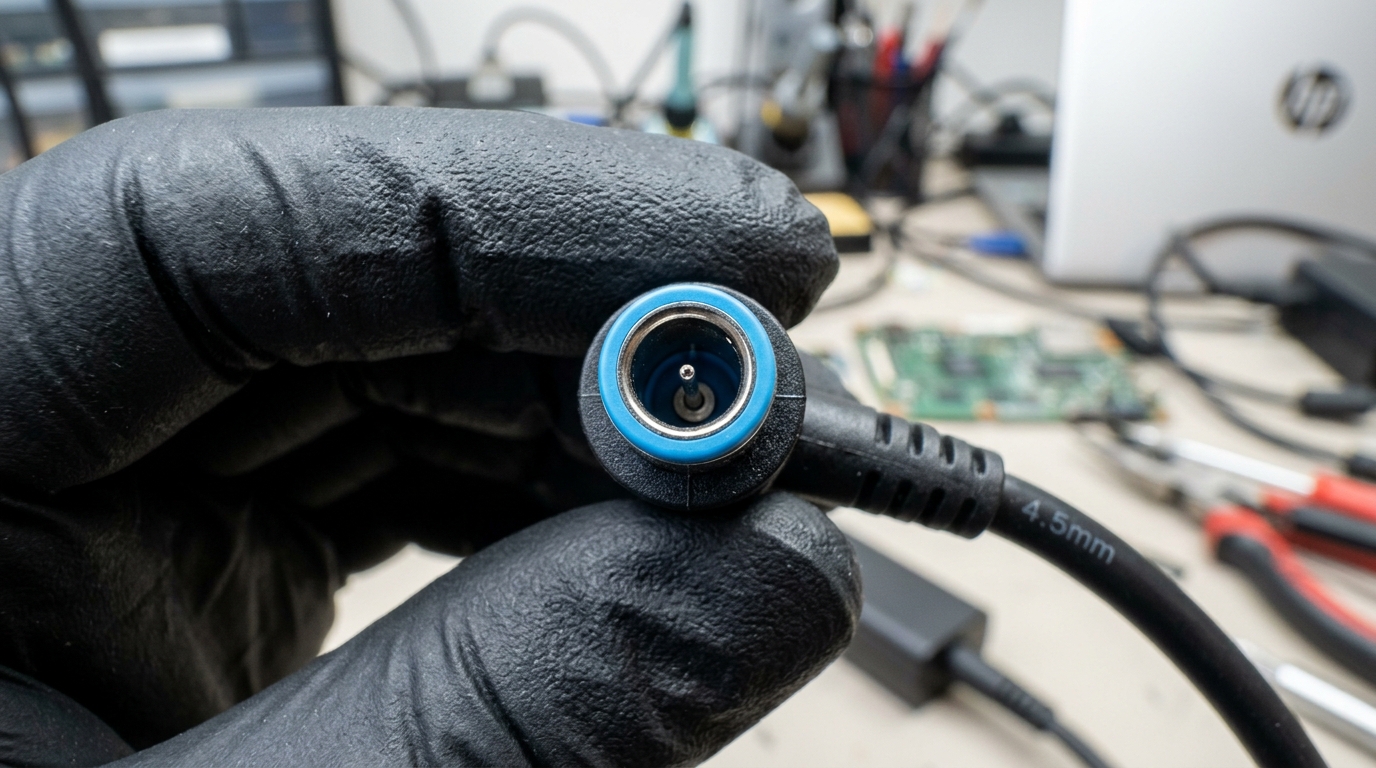 Extreme close-up of the HP 4.5mm Blue Pin showing the central communication Smart Pin that prevents CPU throttling.
🔬 The Center Smart Pin: Why Cheap Chargers Freeze Your Laptop
Inside both the 4.5mm Blue Pin and 7.4mm Black Pin connectors sits a microscopic metal pin in the exact center. This center pin does not deliver operating current. Instead, it functions as an analog communication bus between a resistor or Dallas 1-Wire chip inside the charger and the Embedded Controller (EC) on the laptop motherboard.
What Happens When This Communication Fails?
- "Smart AC Adapter Not Recognized" Warning:
If the center pin is bent, broken, or uses an incorrect resistance value (common in generic ₹600 copies), the motherboard cannot verify the charger's wattage rating. - CPU Clock Throttling to 0.79 GHz (799 MHz):
As an automated hardware safeguard, HP firmware restricts the CPU to its lowest operating multiplier to prevent potential electrical overdraw. The laptop will feel painfully slow, with freezing mouse cursors and severe lag even when opening simple text documents. - "Plugged In, Not Charging":
The laptop will power on and operate, but the battery charging circuit is disabled.
📊 HP Charger Compatibility: Can You Use an HP 65W Laptop Charger on a 45W Laptop?
A common question from Ahmedabad customers is whether a laptop charger hp 65w can safely power an HP laptop rated for 45W.
Rule 1: Using Higher Wattage (e.g., HP 65W Laptop Charger on a 45W Laptop)
$$\mathbf{Safe\ and\ Recommended.}$$ Voltage (19.5V) is determined by the adapter, but current (Amperage) is drawn on demand by the laptop. An hp 65w laptop charger can deliver up to 3.33A, but if your 45W laptop requires only 2.31A, the charger simply supplies 2.31A. The hp laptop 65w charger runs cooler, experiences less thermal stress, and charges the battery efficiently without overcharging.
Rule 2: Using Lower Wattage (e.g., 45W Charger on a 65W or 90W Laptop)
$$\mathbf{Not\ Recommended.}$$ If an underpowered adapter is connected, the charger will run at 100% capacity continuously, causing high surface temperatures (frequently exceeding 60°C). The laptop will detect the wattage deficit, trigger CPU throttling, and may deplete the battery even while plugged in during intensive workloads.
📋 Verified HP Official Part Numbers Reference
When sourcing an authentic replacement, cross-check these official HP Spare Part Numbers (SPS #):
- 45W Blue Pin (19.5V 2.31A):
741727-001,740015-001,740015-002,L25296-001,PA-1450-20HL - 65W Blue Pin (19.5V 3.33A):
710412-001,714657-001,710412-002,913691-850,TPN-CA04 - 90W Smart Pin (19.5V 4.62A):
710413-001,714653-001,PPP012D-S,TPN-CA05 - 150W Blue Pin (19.5V 7.7A):
917649-850,917677-003,L32661-001,TPN-DA09 - 200W Gaming Blue Pin (19.5V 10.3A):
L00818-850,TPN-DA10,L73385-001 - 65W USB-C GaN:
L04650-850,L67440-001,TPN-LA12
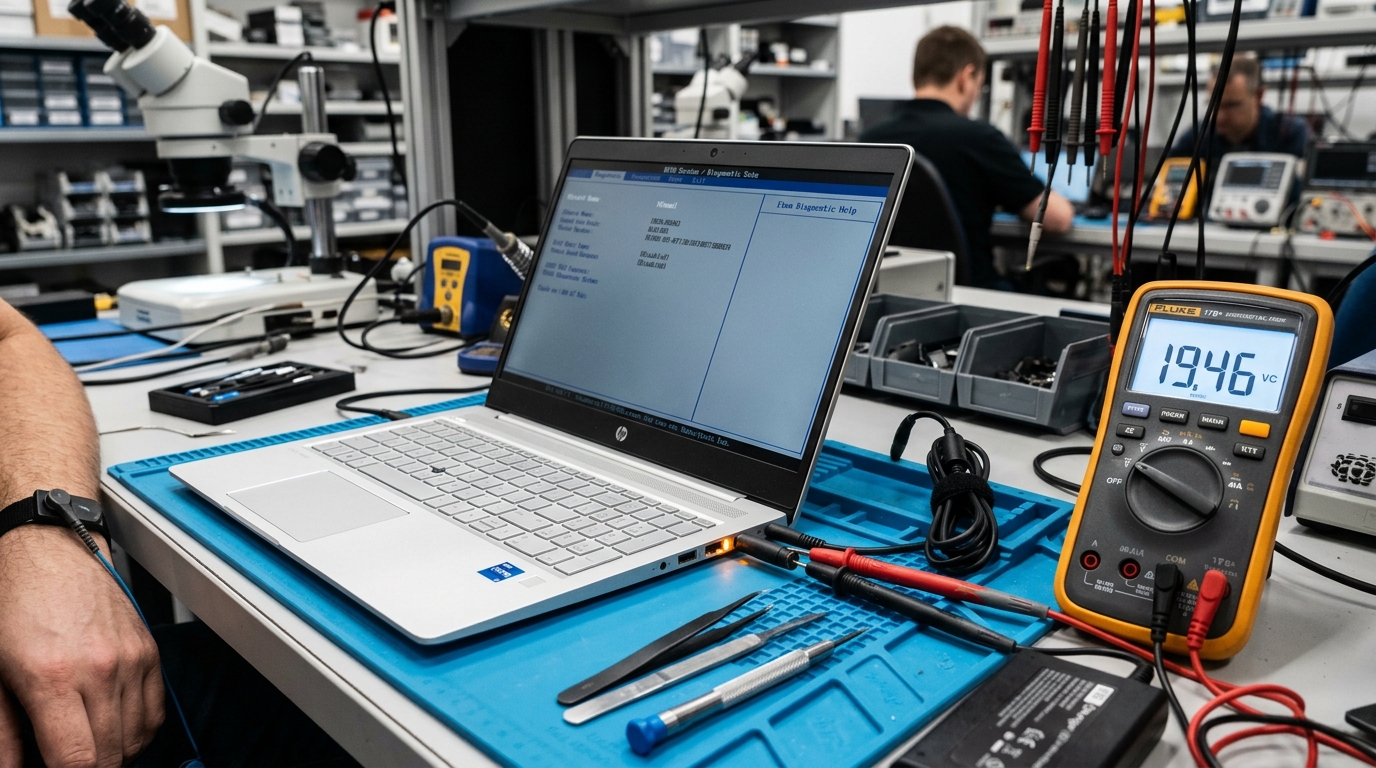 Testing HP laptop DC power input and charging negotiation rails on our workbench in Ahmedabad.
🔍 How to Identify an Authentic HP Charger vs a Counterfeit
Counterfeit chargers sold in local markets are assembled with substandard components that lack electromagnetic interference (EMI) filtering, thermal cutoff fuses, and proper isolation transformers. Here is how to inspect an adapter:
- Weight Comparison:
An authentic HP 65W Blue Pin adapter weighs between 230g and 260g due to heavy copper windings and internal aluminum heat spreaders. A counterfeit clone typically weighs between 130g and 160g, feeling hollow and light. - Ferrite Bead Suppressor:
Authentic HP cables feature a solid, molded cylindrical bulge (ferrite choke) near the connector tip to suppress radio frequency interference. Fake cables either omit this entirely or mold a hollow plastic cylinder without magnetic core material. - Laser-Etched Regulatory Information:
Original units have matte, crisp, laser-engraved regulatory text (including valid BIS registration numbers in India). Counterfeits use glossy silk-screen printing that scratches off easily. - Three-Core Grounded Power Cord:
Genuine adapters include a certified 3-prong AC power cord with true earth grounding. Cheap copies often bundle thin 2-wire cords, creating electrostatic tingling when touching metal laptop chassis.
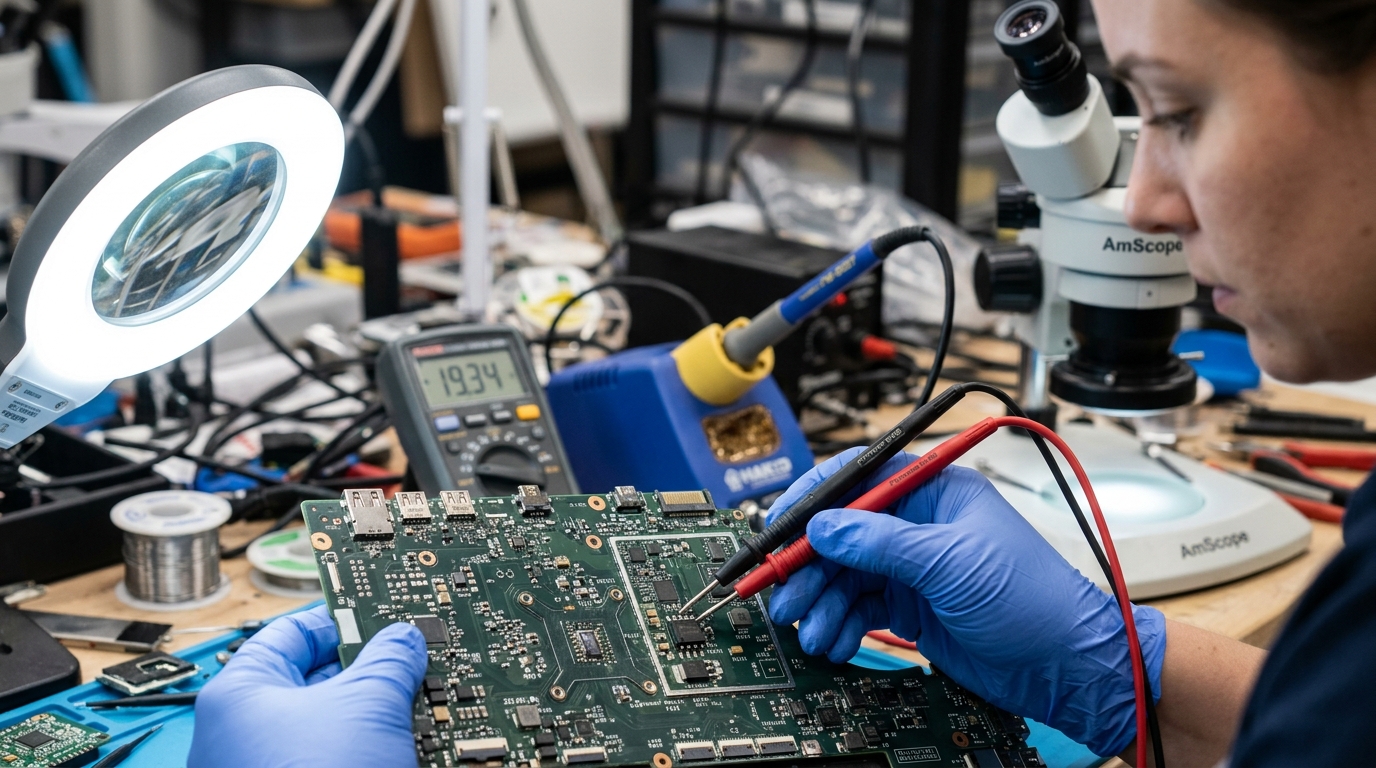 Testing input power MOSFETs under microscope to identify short-circuit damage caused by counterfeit chargers.
❓ Frequently Asked Questions (FAQ)
How much does an original HP laptop charger cost in Ahmedabad?
An authentic HP 45W or 65W Blue Pin charger in Ahmedabad typically costs between ₹1,400 and ₹2,100, backed by a 1-year replacement warranty. High-wattage gaming adapters (150W to 200W for HP Victus and Omen gaming laptops) range between ₹2,800 and ₹4,800. Certified high-quality third-party compatible chargers range from ₹950 to ₹1,400.
Can I charge my HP laptop using a mobile phone's Type-C charger?
Generally, no. Most modern HP laptops (Spectre, Envy, EliteBook G7+, Chromebooks) that support USB-C charging require a charger compatible with the USB Power Delivery (USB-PD 3.0) standard delivering 20V output profile at a minimum of 45W (20V/2.25A) or 65W (20V/3.25A). Standard 10W–25W mobile phone chargers only output 5V or 9V and will not trigger the laptop's charging circuitry.
What causes an HP laptop charger to become extremely hot?
It is normal for adapters to feel warm (up to 40°C–45°C) during rapid charging under heavy CPU/GPU loads. However, if the adapter becomes too hot to comfortably hold (exceeding 55°C), it indicates that the laptop is drawing maximum current continuously, the internal battery has degraded with high internal cell resistance, or an underpowered charger (e.g., using a 45W charger on a 65W laptop) is operating beyond its continuous thermal rating.
Why does my HP laptop say "Smart AC Adapter Not Recognized"?
This warning indicates that the laptop motherboard's Embedded Controller (EC) is receiving 19.5V power, but the analog data communication signal from the central Smart Pin inside the barrel plug is missing. Common causes include a bent or broken center needle pin inside the plug, damaged copper wiring near the strain relief joint, or a cheap counterfeit charger that lacks the factory ID resistor.
What is the difference between HP 4.5mm Blue Pin and 7.4mm Black Pin?
The difference is physical barrel diameter and generation. The 4.5mm Blue Pin (4.5mm x 3.0mm) is the modern slim standard introduced around 2014 for ultrabooks, HP Pavilion, 14s/15s, and Envy models. The 7.4mm Black Pin (7.4mm x 5.0mm) is the older, heavy-duty connector used on pre-2014 laptops, legacy ProBooks, and high-wattage ZBook mobile workstations. They are electrically identical (19.5V with center smart pin) but physically incompatible without a passive adapter barrel converter.
Is it safe to use a generic replacement charger?
Certified Grade-A replacement chargers from reputable aftermarket manufacturers with BIS (Bureau of Indian Standards), CE, and FCC certification are safe. However, uncertified "first copy" counterfeit adapters selling for ₹500–₹700 on grey markets lack input surge suppressors, optocoupler isolation, and over-voltage protection. A sudden voltage spike in Ahmedabad can puncture the motherboard's input DC-IN MOSFETs, causing permanent motherboard failure.
How do I check the exact wattage my HP laptop requires?
Inspect the laser engraving on the underside of your laptop chassis or beneath the removable battery. Locate the regulatory power input line: for example, INPUT: 19.5V === 3.33A. Multiply volts by amperes (19.5 × 3.33 = 64.935W), which confirms you require an HP 65W Smart AC Adapter. If your rating reads 19.5V === 2.31A, your laptop requires a 45W charger.
What should I do if my charger only works at a specific angle?
If your laptop only charges when you wiggle or twist the charger cable at a specific angle, the internal copper conductors inside the cable have fractured near the DC plug strain relief, or the laptop's internal DC-IN power jack socket has cracked away from its motherboard solder pads. Stop twisting the cable immediately: intermittent electrical contact produces micro-arcing (tiny electric sparks) that can melt the plastic DC port or short-circuit the motherboard.
📍 Genuine HP Charger Replacement at Your Doorstep in Ahmedabad
If your charger has failed and you need an exact replacement without delay, Zitek Techcare provides verified on-site laptop adapter delivery and hardware testing across Ahmedabad and Gandhinagar.
- Exact Model Verification: Technicians match the precise wattage and connector specifications for your HP Pavilion, 14s/15s, Envy, Omen, Victus, ProBook, or EliteBook.
- On-Site Voltage Testing: Every adapter is verified with a digital multimeter and tested on your laptop to confirm proper charging rates and clock speed stability before payment.
- Fast Delivery Coverage: Available across Satellite, Vastrapur, Bopal, SG Highway, Sindhu Bhavan Road, Prahlad Nagar, Nikol, Naroda, C.G. Road, Maninagar, Science City, Gota, Chandkheda, and Gandhinagar.
👉 Related HP power services:
- HP Laptop Battery Replacement Ahmedabad
- Comprehensive Laptop Battery Services
- Doorstep Laptop Diagnostics & Repair
📞 Contact Zitek Techcare: For immediate compatibility confirmation and doorstep booking, call +91 90549 75943.

We are passionate hardware engineers who enjoy crafting engaging and informative repair guides. Apart from writing, you'll find our senior team exploring new tech trends and successfully reviving complex dead motherboards across Ahmedabad. We love discovering innovative concepts and bringing dead electronics back to life.